
Behind the Build
Hermes Fleet: Why I Built an iPhone Control Center for Your AI Agents
I built Hermes Fleet to bring my self-hosted Hermes agents to my iPhone. Here’s how it works, what the beta can do, and where it still needs work.
 By Tony Simons 12 min read
Author involvement: Tony Simons built Hermes Fleet himself. This article is his founder’s perspective, not an independent review.
Disclosure: We may earn a commission when you shop through the links below. Details
Disclosure
We may earn a commission when you shop through the links below. Full disclosure
Disclosure: I built Hermes Fleet myself. This is a founder’s account of my own product, not an independent review. There is no numerical score.
My agents don’t stop being useful when I step away from a desk. But keeping track of them can become a scavenger hunt: which machine is running the job, which bot owns the conversation, and is the gateway actually reachable? Hermes Fleet is my attempt to put those answers on an iPhone without moving the work itself into somebody else’s cloud.
Fleet is a native companion for Hermes Agent, the open-source assistant and agent platform. It connects to gateways you operate, presents conversations and fleet controls in a mobile interface, and leaves the agents running on their existing machines. A phone is a much better place to check a waiting approval than a laptop you left upstairs. It is also a much smaller place to inspect a complicated system, and that tradeoff matters.
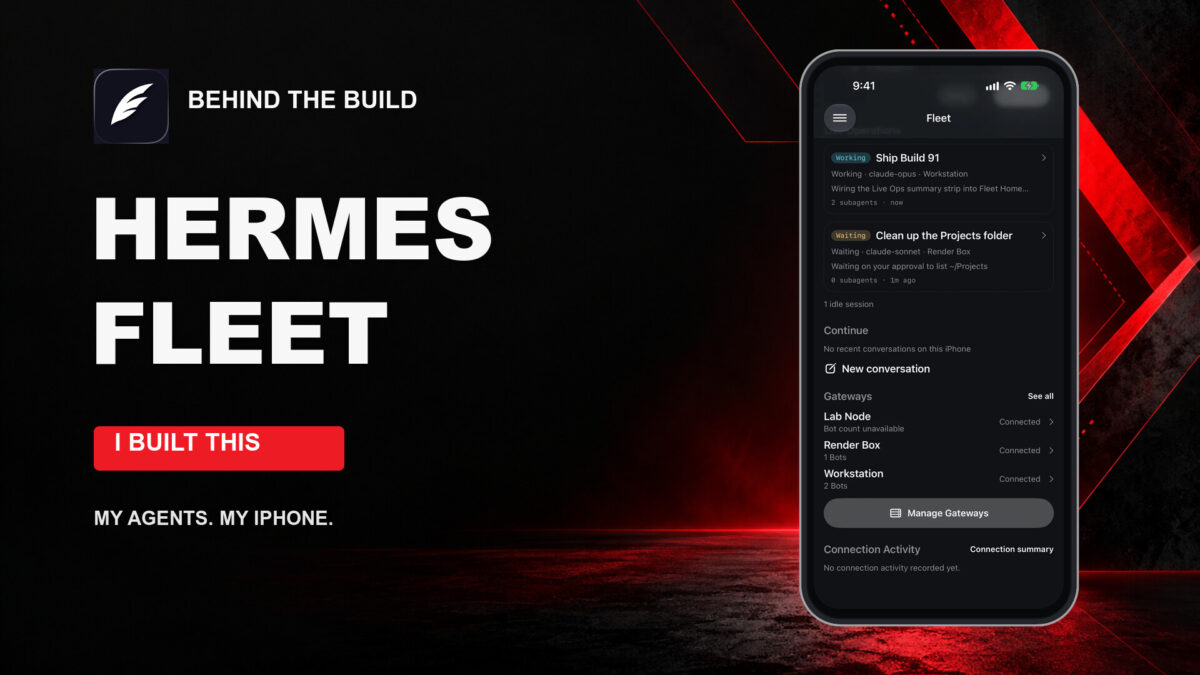
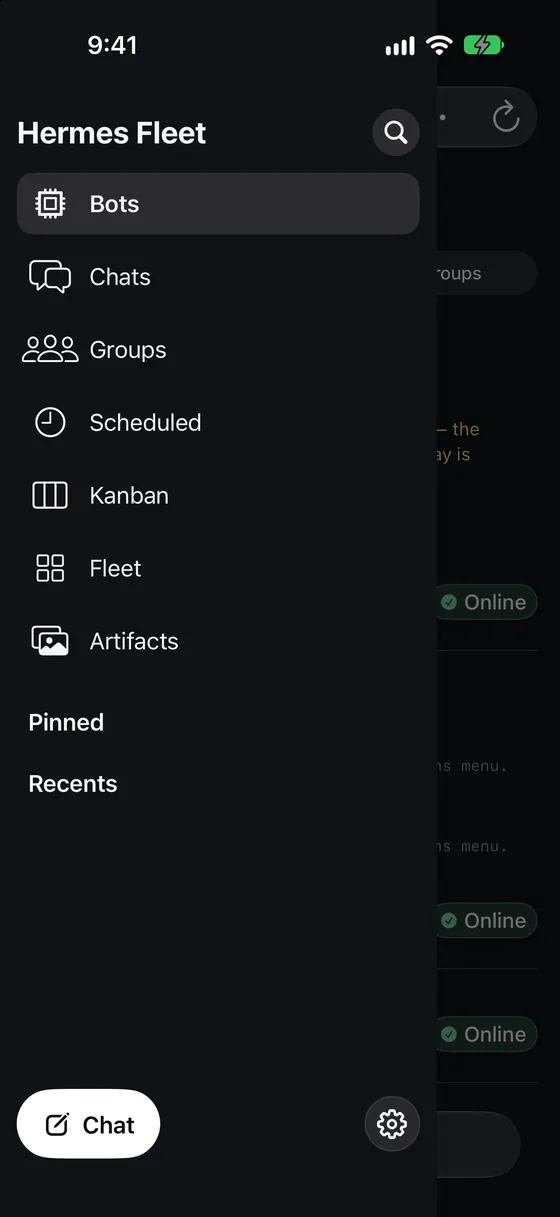
I want to be precise about the evidence here. The screenshots below are genuine Fleet simulator captures from the official Fleet site, using a scripted demo fleet; they are not live customer data. The functionality discussion draws on the public source, its release records, and the build 98 notes. The screenshots show the app with simulated data; the release records distinguish documented testing from live-device acceptance.
What Fleet actually is
A Hermes gateway is the service your client talks to when it needs to reach a running Hermes setup. Fleet is the client. It does not replace the gateway, install a model on your phone, or magically keep an offline server running. Your phone connects to gateways you choose, and those machines remain responsible for the agent work.
That distinction is the heart of the product. A terminal is excellent for installing packages, reading logs, editing files, and diagnosing a stubborn service. A phone is better for a quick conversation, checking whether a machine is reachable, or finding the task that needs attention while you’re away. Fleet tries to make those smaller interactions native to iOS rather than shrinking a desktop control panel into a browser tab.
The project is open source under the MIT license. The documented architecture separates its SwiftUI interface, networking, security, and locally cached non-secret data. Gateway credentials are stored in the iOS Keychain. Fleet does not require an AIowa-hosted relay or a shared operator account, according to the repository. That does not mean every AI request stays local: your chosen model provider and tools can still receive data as part of the work.
Why build another interface?
The problem is not that Hermes lacks ways to talk. It is that a fleet becomes harder to hold in your head as the number of gateways, bots, chats, and scheduled jobs grows. I wanted a way to carry the important parts with me: the identity of the machine, the conversation I meant to reopen, and enough context to know whether the thing I’m looking at is current.
That is a different goal from making a general-purpose chat wrapper. A conversation is only one piece of an agent setup. There are bots with their own identities, rooms, schedules, boards, approvals, and gateways that may disagree about what is available. A useful mobile client has to show those boundaries instead of pretending every bot and every machine is interchangeable.
Getting started: there is still a server involved
The public TestFlight invitation is the starting point for the beta. Install Apple’s TestFlight app, open the invitation on a compatible device, and follow the available installation steps. Fleet’s project targets iOS 26 or later. This is beta software, and TestFlight availability and build eligibility can change.
Installing the client is only half of setup. You also need a running, compatible Hermes gateway that the phone can reach, appropriate owner credentials or pairing authorization, and a network route between them. The pairing guide describes asking Hermes for a pairing link with /fleet pair, or running hermes fleet pair on the host, then opening or scanning the invitation and approving the code shown on the phone. Exact options depend on the installed gateway and connector versions.
That pairing step deserves more than a casual tap. The documented enrollment grants operator access, not a harmless read-only dashboard. Review the server and the code, keep pairing links and QR codes private, and use a protected connection on networks you do not trust. If you cannot reach the gateway or it lacks the required endpoints, the phone app cannot fix that infrastructure problem by itself.
The release records identify public TestFlight 0.2.0 build 98 as having been in external testing on October 18, 2026. The public invitation is currently reachable, but that historical record is not a fresh verification of every tester’s available build. Newer work on the repository’s main branch should not automatically be assumed to be in that beta.
Bots, gateways, and the value of knowing which is which
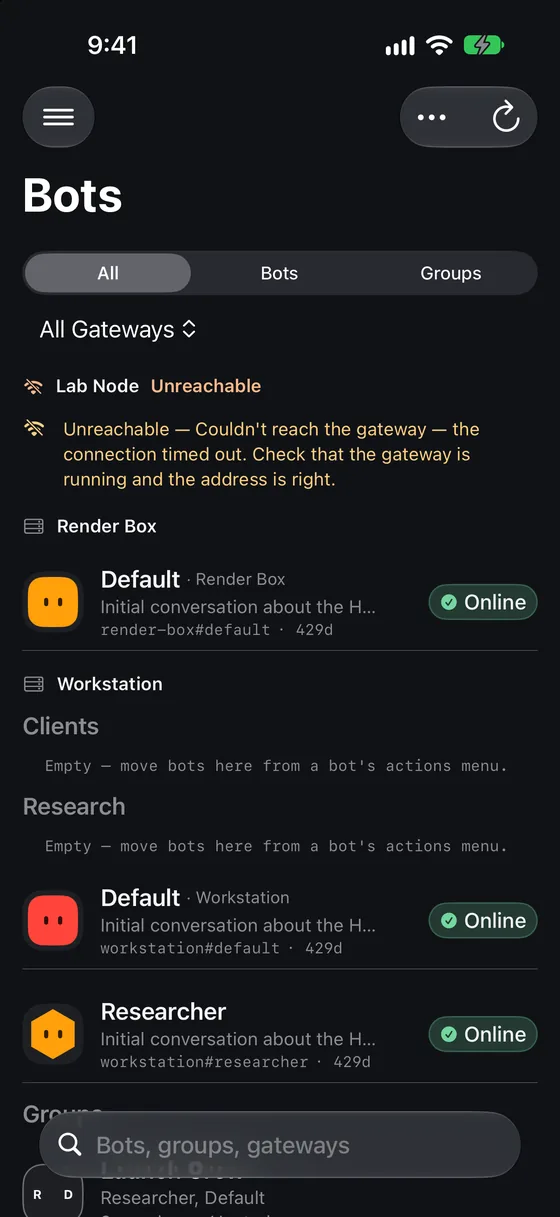
The Bots roster is the clearest expression of Fleet’s job. Rather than forcing you to remember which device holds each profile, it can present bots across registered gateways. Source-qualified identity matters: two bots called “Default” on two machines are different bots, not one merged character with a convenient name. The gateway context tells you where you are sending your attention.
The roster also exposes a failure honestly in the official demo below. A gateway that cannot be reached is labeled unreachable. That is more useful than an empty list that quietly suggests nothing exists. It also points to a broader limitation: Fleet can only report what the connected gateways expose. A missing signal is not proof that the machine is idle or that every task is complete.
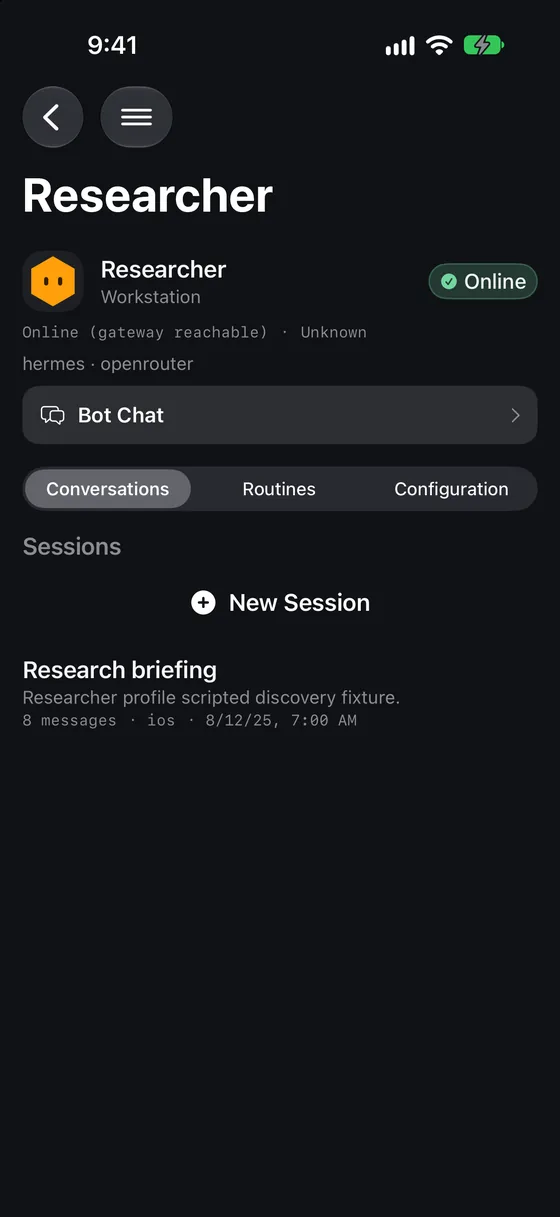
A bot detail screen collects the identity and routes into its chat, routines, and configuration. The source documents profile editing, organization, pinning, and hiding, subject to the connected gateway’s supported methods. That can save a trip back to a desktop for routine management. It is also where a small screen demands restraint: changing a model or configuration can have real consequences, so labels and confirmation matter more than squeezing in another button.
Conversations that belong to the work
Fleet supports streaming conversations and reconnect/replay handling. Its Bot Chat is intended as a continuous conversation with that bot, separate from an ordinary disposable chat. The source protects /new and /reset in canonical Bot Chats and points users toward /compact instead. That distinction is easy to miss until a long-running relationship with an agent contains context you care about.
Build 98’s notes describe a specific long-history recovery path: when a gateway refuses an oversized reload, Fleet can reopen on the newest page and offer earlier messages on demand. The documented test used a synthetic 25,000-message chat; the release record does not establish real-device acceptance for that case. There are still edge cases, including some large responses below the message-count threshold and an earlier-page request that may need another tap if a refresh lands at the wrong time.
That is the kind of limitation I would rather name than bury. A transcript is not a benchmark chart; it is where people keep work. If the app cannot reliably reopen a particular conversation, a reassuring animation won’t solve it. The release notes recommend updating Hermes or using Desktop when a gateway cannot provide the required paged history.
Group rooms and mentions
Fleet’s group rooms are hosted by a gateway. You can address bots using roster-based mentions, and the app’s source describes cross-gateway rooms using RoomLink when the participating gateways support it. The important word is gateway: the phone is a controller, not a courier that passes room messages between machines in the background.
A mention identifies a teammate. It does not, by itself, prove that a remote bot received the message or that a cross-machine route is available. RoomLink’s documented cross-gateway route is text-only, and availability depends on advertised capabilities and gateway configuration. That is a useful distinction if you are comparing a real operational setup with a polished demo.
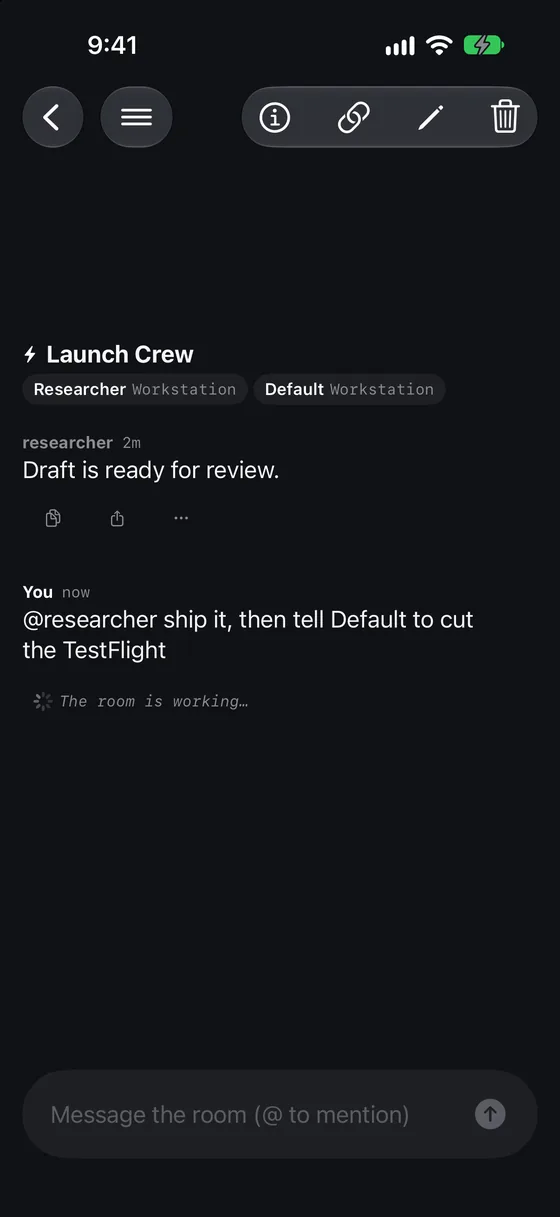
Build 98’s release notes also call out group message copying, conversation search, and a Latest control. They note that group replies do not have per-reply regenerate because the group protocol does not carry a turn ID. Details like that are less glamorous than “multi-agent collaboration,” but they tell you what the interface can actually promise.
Schedules, boards, and the work between chats
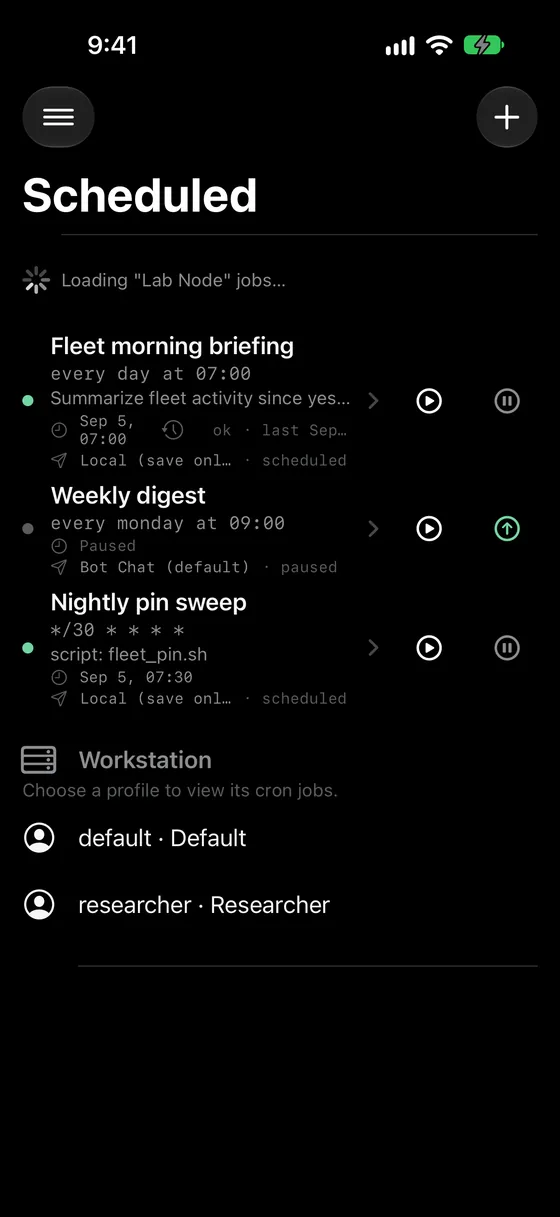
Some useful agent work starts on a schedule. Fleet’s Scheduled view is designed to bring gateway cron jobs into one place, with controls where the gateway supports them. That is valuable when you need to check a recurring task without remembering the exact machine on which it lives. It is not a substitute for checking the job’s authorization, schedule, and downstream effects.
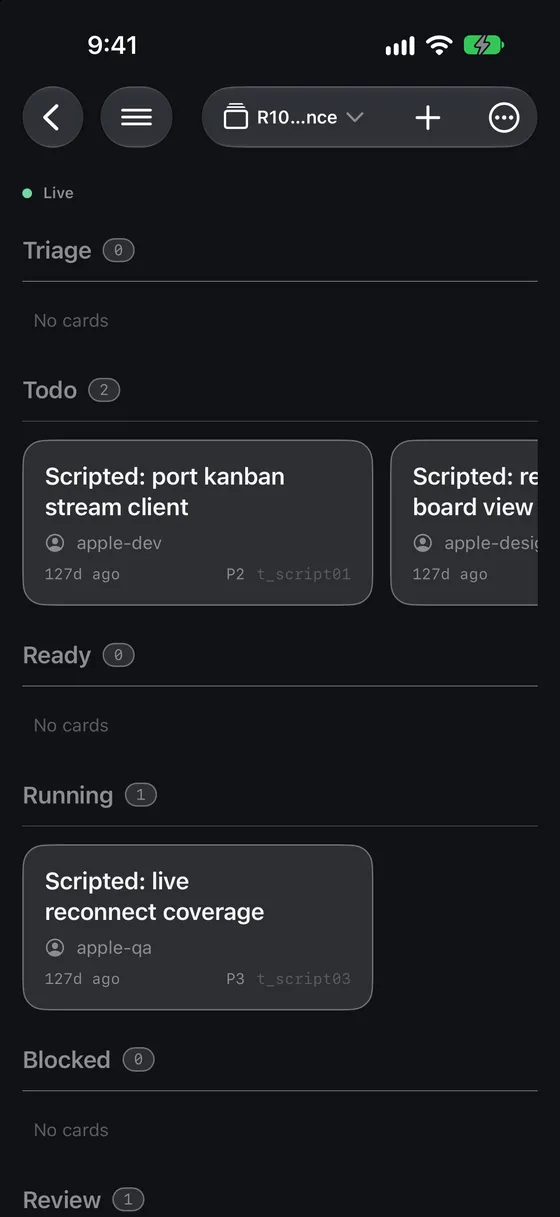
Kanban serves a different question: what is the state of a body of work? Fleet can show boards and edit tasks when the gateway exposes a compatible board operator. That condition matters. If the backend does not offer the capability, the app should not present a convincing but disconnected board as a source of truth.
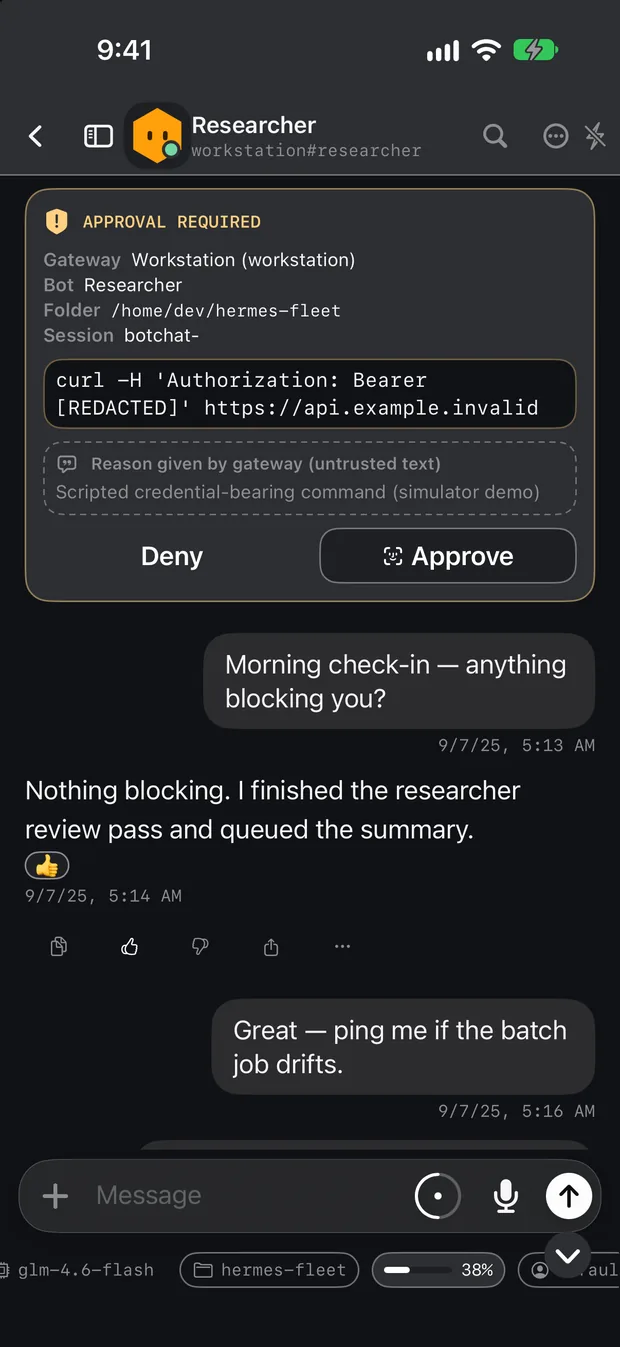
The app also has an approval surface. An approval needs enough context to answer the question “what am I actually allowing?” before you accept it. The demo card below shows a source, a command area, and explicit deny and approve choices. Availability and detail depend on what the gateway reports. A phone makes the decision convenient; it does not make an unclear request safe to approve.
Where the experience is strongest—and where it needs work
The best fit is a quick, bounded intervention: find a bot, continue a conversation, inspect a job, or check whether a gateway is reachable. The design puts those actions in a native iPhone interface and retains the distinction between machines. Build 98’s notes describe clearer connection errors, haptic feedback, loading placeholders, and accessibility work including larger tap targets and Reduce Motion support.
There is still a lot that a beta label should make you ask. Build 98 explicitly defers push notifications, Live Activities, an offline outbox, multilingual voice, and a dedicated iPad layout. Don’t assume a background alert will summon you when an agent needs attention. Some locally cached views may remain useful during a temporary disconnect, but a snapshot is not proof of the current state of a remote machine.
The release notes also document accessibility issues that remain deferred, including truncation at the largest text sizes. In group chats, Find lives in the room header and scrolls with the transcript. These are not reasons to dismiss the project; they are reasons to understand what is unfinished before relying on it as your only control surface.
There is another reliability boundary here. The release documentation says real-device and live-gateway acceptance for some build 98 cases was not established in the retained evidence. The release notes do not establish a fresh end-to-end test of pairing, a message send, reconnection, or notifications for this article.
Phone versus terminal, browser, and desktop
Use Fleet when the question fits in your hand: “Which bot is this?” “Did that gateway go away?” “What does this approval say?” or “Can I continue the conversation?” Its strongest argument is that it understands the shape of a Hermes fleet rather than treating every interaction as a generic text box.
Use a terminal when you are installing Hermes, working with configuration files, inspecting process logs, or debugging the network. A desktop interface gives long transcripts, large boards, and side-by-side investigation more breathing room. A browser can be convenient on a machine where you don’t have the native app. The right choice depends on the job and the trust boundary, not on which interface looks most futuristic.
What comes next?
The public repository’s main branch continues to change. Recent source commits address connection diagnosis, retries, pairing, and a conversation-opening crash. Those changes are evidence of ongoing work, not proof that a particular TestFlight build includes them. The source also contains newer approval and notification work beyond the build 98 release record; I would check the release notes for the exact build on your phone before depending on it.
That source-versus-release distinction is especially important for an agent controller. A fix on GitHub, a passing simulator test, an uploaded binary, and a beta available to your device are four different milestones. I don’t want a roadmap paragraph to turn any of them into a promise.
Who should try it?
Fleet is most useful to someone who already runs Hermes, understands which gateways they control, and wants to inspect or steer that setup away from a desk. It is also interesting to a technically curious tester willing to report specific failures, check compatibility, and treat a beta as a beta.
It is a tougher fit if you expect a turnkey hosted assistant with no server to maintain, guaranteed push alerts, or a complete offline workflow. You still own the gateway, authentication, network access, and decisions made through the app. Start with a limited, reversible task and verify what your gateway exposes before making Fleet the sole place you manage important work.
Final thoughts
I’m proud of the direction: a native mobile window into infrastructure you choose, with bot and gateway identity kept visible. I built the app myself, so you should weigh that enthusiasm accordingly. The idea earns its place only if the app makes real work easier and remains honest when a connection, capability, or history is missing.
If that sounds useful, start with the TestFlight invitation, read the gateway setup guide, and check the issue tracker before you commit a workflow to it. Report a reproducible problem without posting credentials, private gateway addresses, pairing codes, or conversation transcripts. The point of a beta is to find out where the product still falls short—and then do the work.
Visual credits: Fleet interface screenshots and the wing mark are official Hermes Fleet assets. The screenshots show a scripted simulator demo, not live customer information. Cover background generated for TRT; product imagery is reproduced from the official Fleet site and project assets.
Written by
Tony Simons
Tony has a bachelor's degree from the University of Phoenix and over 14 years of writing experience between multiple publications in the tech, photography, lifestyle, and deal industries.