
AI & Software · Tutorial
How to Set Up a TikTok Shop in 2025
Setting up a TikTok Shop in 2024 may seem daunting, but it's easier than you think. Let's break down the process.
 By Tony Simons Updated 2 min read
Disclosure: We may earn a commission when you shop through the links below. It never changes the verdict. Details

Disclosure
We may earn a commission when you shop through the links below. Opinions stay independent. Full disclosure
TikTok has transformed from a pure entertainment platform into a bustling online marketplace. With its massive audience and focus on short, engaging videos, TikTok offers a dynamic way for businesses to sell their products directly through the app. Setting up a TikTok Shop may seem daunting, but it’s easier than you think. Let’s break down the process.
How to Set Up a TikTok Shop:
Eligibility Requirements
- Location: Currently, TikTok Shops are available in select countries. Some major supported regions include the United Kingdom, Indonesia, Thailand, Vietnam, Malaysia, the Philippines, Singapore, and certain parts of the United States. Check TikTok’s resources to see if your country is on the list.
- Business Account: You must have a TikTok Business account. Setting one up is free if you’re not already using one.
- Business Documentation: Be prepared to provide business registration documents to verify the legitimacy of your store.
The Setup Process
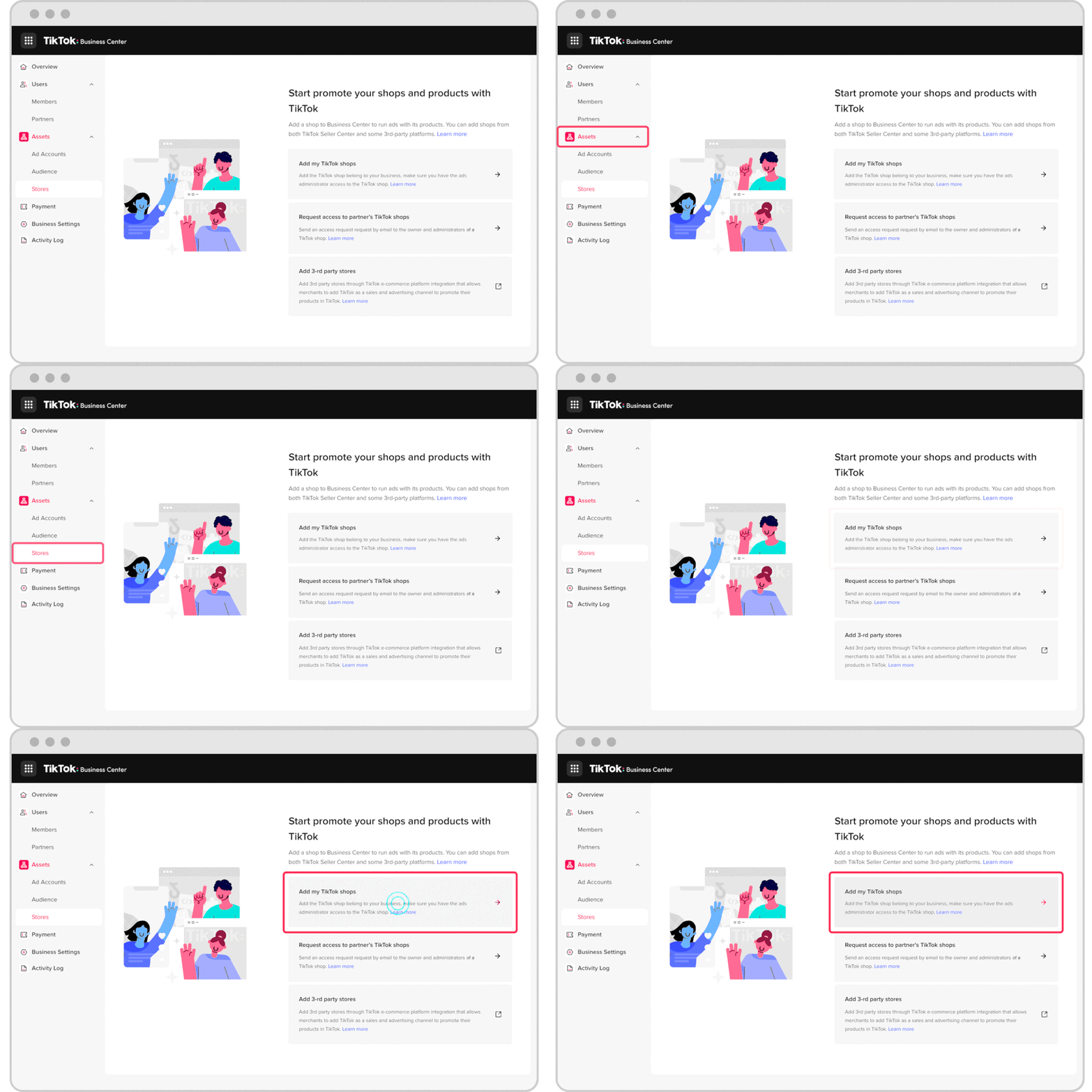
- Access the TikTok Seller Center: Visit the TikTok Seller Center website. Begin the registration process to create your shop.
- Provide Required Information and Documentation: You’ll fill out basic information about your business and upload verification documents such as your business license.
- Link Your Bank Account: Enter your bank information to ensure a quick and secure payout of your sales proceeds.
- Add Products: Start building your storefront! Here’s how:
- Create eye-catching listings: Include high-quality images, concise descriptions, and accurate pricing.
- Optimize with Keywords: Incorporate relevant keywords so your products can be easily found in TikTok searches.
- Manage Your Shop: Once your shop is live, the TikTok Seller Center allows you to handle orders, track inventory, run promotions, and view valuable analytics.
Important Tips
- Leverage TikTok Trends: Embrace TikTok’s trends to highlight your products creatively and increase visibility.
- Collaborate with Creators: Partner with TikTok influencers to showcase your products to their established audiences.
- Utilize TikTok Ads: Enhance your shop’s reach by investing in carefully targeted TikTok advertising campaigns.
Get Started Today!
TikTok Shopping offers exciting opportunities to increase brand awareness and boost sales. With its captivating video-centric format and vast, engaged user base, setting up your TikTok Shop is a shrewd strategic move to expand your online selling potential.
Let me know if you’d like more tips or additional advice on optimizing your TikTok Shop!
Happy selling!
The Inner Circle
One AI shortcut a week. Tested first.
The tools and tricks I actually kept using, sent once a week. Skip the hype threads.
- New verdicts and scores
- Same-day workflow tips
- No spam, unsubscribe anytime
Written by
Tony Simons
Tony has a bachelor's degree from the University of Phoenix and over 14 years of writing experience between multiple publications in the tech, photography, lifestyle, and deal industries.


