
Tech & Gear · Tutorial
How to Look Up an FCC ID for a Wireless Device
Search the FCC’s public equipment authorization database and understand what an FCC ID record can—and cannot—tell you.
 By Tony Simons 3 min read
Disclosure: We may earn a commission when you shop through the links below. It never changes the verdict. Details
Disclosure
We may earn a commission when you shop through the links below. Opinions stay independent. Full disclosure
Ever noticed an “FCC ID” on a wireless gadget and wondered what it actually points to? You can search the FCC’s equipment authorization database for a public record, then inspect the applicant and grant information. It’s a useful research clue when identifying a device—not a guarantee that the particular item in your hand is genuine or safe.
We tried the FCC’s search in a desktop browser using BCG-E3542A, an iPhone 12 identifier listed in an FCC-published handset report. The database returned matching entries for Apple Inc.; we opened a grant. We did not inspect a physical phone.
Search the FCC ID
- Find the complete FCC ID on the product’s label or in its regulatory information. Don’t confuse it with a serial number or IMEI. Some devices may not have an FCC ID because different authorization procedures apply.
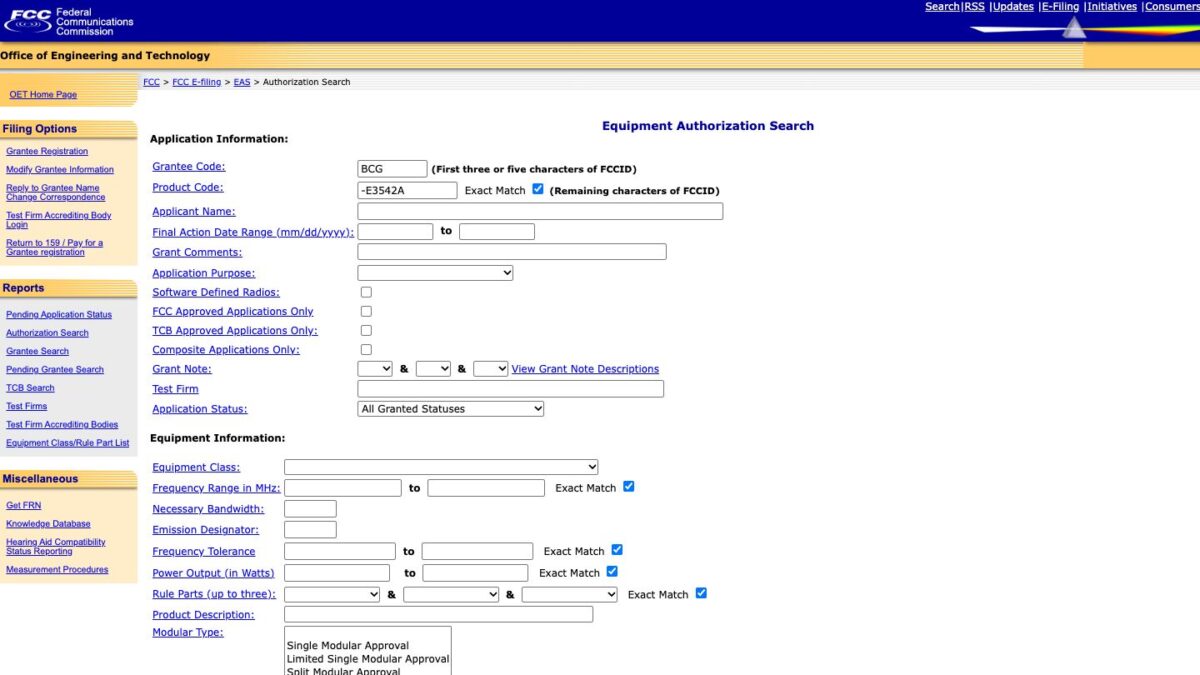
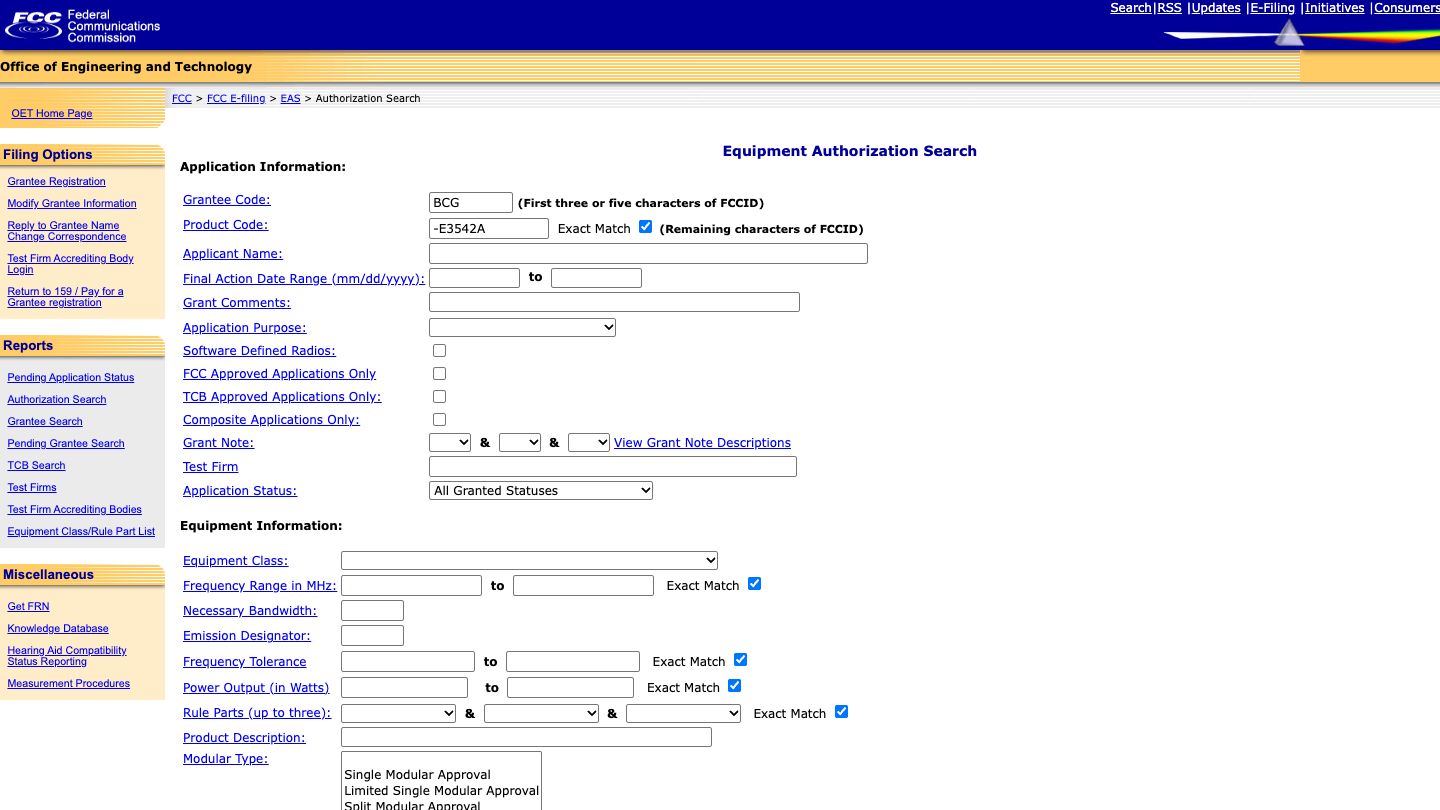
- Open the FCC’s Equipment Authorization Search. The form separates the ID into a Grantee Code and a Product Code.
- For the example BCG-E3542A, enter BCG in Grantee Code and -E3542A in Product Code, including the hyphen. Select the Product Code Exact Match box. Leave unrelated filters blank.
- Scroll down and select Start Search. Check the FCC ID, applicant, application purpose and date in the results. Use the icon under Display Grant to open a grant; depending on your browser it may open in another window or tab.
The screenshot shows the actual FCC search form populated with the example. The exact-match search returned multiple rows for the same ID, so don’t assume each row represents a different retail product.
Where does the ID split?
The FCC form says the grantee portion is the first three or five characters and the rest goes in Product Code. The example uses a three-character grantee code. The FCC’s notice on five-character codes describes the newer format. If you aren’t sure where your own ID splits, check the FCC’s form guidance or the manufacturer’s regulatory information instead of guessing.
Read the result carefully
A grant identifies the grantee and equipment covered by that authorization, along with technical details and conditions. It does not authenticate a specific physical unit: a label can be copied. Nor does a record establish that a gadget is suitable for your needs, currently sold, free of recalls, or safe in every respect. For recall checks, use our electronics recall guide.
If nothing matches, recheck every character, the three- or five-character split, the hyphen and the selected filters. The form defaults to All Granted Statuses, so don’t interpret an empty result as proof that no application or authorization exists. Some filings or documents may not be publicly available. Check the manufacturer’s information or ask the FCC when the distinction matters.
How we checked: We entered the public example into the FCC form, selected Exact Match, inspected the results, and opened a grant. We did not verify a physical device or its current compliance. Screenshot captured from the FCC’s public search interface.
The Inner Circle
Know what is worth buying before you buy it.
Gear I lived with, guides that save you an afternoon, one email a week.
- New verdicts and scores
- Same-day workflow tips
- No spam, unsubscribe anytime
Written by
Tony Simons
Tony has a bachelor's degree from the University of Phoenix and over 14 years of writing experience between multiple publications in the tech, photography, lifestyle, and deal industries.


