
AI & Software · Buying guide
Best AI Coding Agents in 2026: Codex vs. Claude Code vs. Cursor vs. Hermes
Codex, Claude Code, Cursor, Hermes Agent, OpenCode, ZCode, and Grok Build compared by real development workflow. Here is which AI coding agent wins each job in 2026.
 By Tony Simons Updated 19 min read
Disclosure: We may earn a commission when you shop through the links below. It never changes the verdict. Details

Disclosure
We may earn a commission when you shop through the links below. Opinions stay independent. Full disclosure
Updated July 22, 2026: AI coding tools change fast. Features, models, pricing, quotas, and availability can move underneath an article like this, so I’ll keep this guide updated as the field changes.
AI coding agents have officially escaped the autocomplete box.
They can read an unfamiliar repository, plan a feature, edit dozens of files, run tests, chase failures, review their own work, open pull requests, and keep working while you do something else.
That’s the good news.
The bad news is that every company now claims its agent can replace half your development workflow.
OpenAI has Codex. Anthropic has Claude Code. Cursor has an entire agent-first editor and cloud workers. Nous Research has Hermes Agent. SpaceXAI has Grok Build. OpenCode gives you an open-source harness with broad model support. Z.ai built ZCode around GLM-5.2 and long-running engineering tasks.
They overlap, but they aren’t interchangeable.
Some are strongest inside a terminal. Some are built around an editor. Some want to own the entire development loop. Others are better when coding is only one piece of a larger job involving research, browsers, files, messaging, automation, and scheduled work.
So this isn’t another leaderboard built around one benchmark and a pile of marketing claims.
OpenAI itself recently found that roughly 30% of the tasks in SWE-Bench Pro were broken. That’s a useful reminder that a neat benchmark score can become very messy once it touches real software. You can read my breakdown in OpenAI Just Found 30% of SWE-Bench Pro Tasks Are Broken.
This guide asks a more practical question:
Which AI coding agent is best for the way you actually work?
The Quick Answer
| Category | Winner | Why |
|---|---|---|
| Best overall AI coding agent | OpenAI Codex | The strongest all-around combination of local work, cloud agents, desktop orchestration, repository context, review, and long-running execution |
| Best terminal-first coding agent | Claude Code | Deep command-line workflow, strong codebase understanding, mature customization, hooks, skills, subagents, and MCP support |
| Best AI-native code editor | Cursor | The cleanest editor experience for developers who want agents, diffs, search, terminal access, and background work in one interface |
| Best open-source personal agent for builders | Hermes Agent | Coding plus memory, skills, subagents, browsers, messaging gateways, scheduled jobs, and broad model choice |
| Best open-source coding harness | OpenCode | Open-source, model-flexible, terminal-friendly, and easy to adapt without buying into one provider |
| Best GLM-native long-context environment | ZCode | Built specifically around GLM-5.2, long-running tasks, large context, remote control, and continuous project state |
| Most interesting new challenger | Grok Build | Open-source, extensible, scriptable, ACP-compatible, and tightly paired with SpaceXAI’s coding-first models |
My overall pick for most serious builders is Codex.
That doesn’t mean Codex wins every category.
Claude Code is still the terminal tool I’d point to for people who want an intensely customizable command-line agent. Cursor remains the obvious choice for developers who want the agent fused directly into their editor. Hermes is the most interesting option when you want one open agent to handle code and everything surrounding the code. OpenCode is the cleanest escape hatch from vendor lock-in. ZCode is a serious option for anyone leaning into GLM-5.2. Grok Build is too new to crown, but far too capable to ignore.
How I Compared These Agents
I’m not pretending that one toy task can settle this fight.
A coding agent can look brilliant while building a tiny demo and completely fall apart inside a mature repository with migrations, generated code, flaky tests, undocumented conventions, and six different ways to accidentally break production.
I compared the tools against the same practical workflow:
- Can it understand an unfamiliar repository?
- Can it plan a multi-file change before touching code?
- Can it implement the change without constantly losing the thread?
- Can it run tests, diagnose failures, and verify the result?
- Can it review its own diff and explain what changed?
- Can it continue working across long sessions or remote environments?
- Does it give the user enough control over permissions and dangerous actions?
- Does the price, quota model, and setup friction make sense for real use?
This is an editorial comparison built from hands-on use, my existing reviews and reporting, and current official product documentation. It isn’t a claim that I ran every product through one perfectly controlled laboratory experiment.
That distinction matters.
1. OpenAI Codex: Best Overall AI Coding Agent
Codex has grown from a terminal tool into an entire software-work system.
The local CLI can read, edit, and run code on your machine. The IDE extension brings the agent into editors such as VS Code and Cursor. Codex in ChatGPT can work across projects and connected repositories. The desktop experience is designed around managing multiple agents and long-running tasks instead of babysitting one chat thread.
That breadth is why Codex takes the overall win.
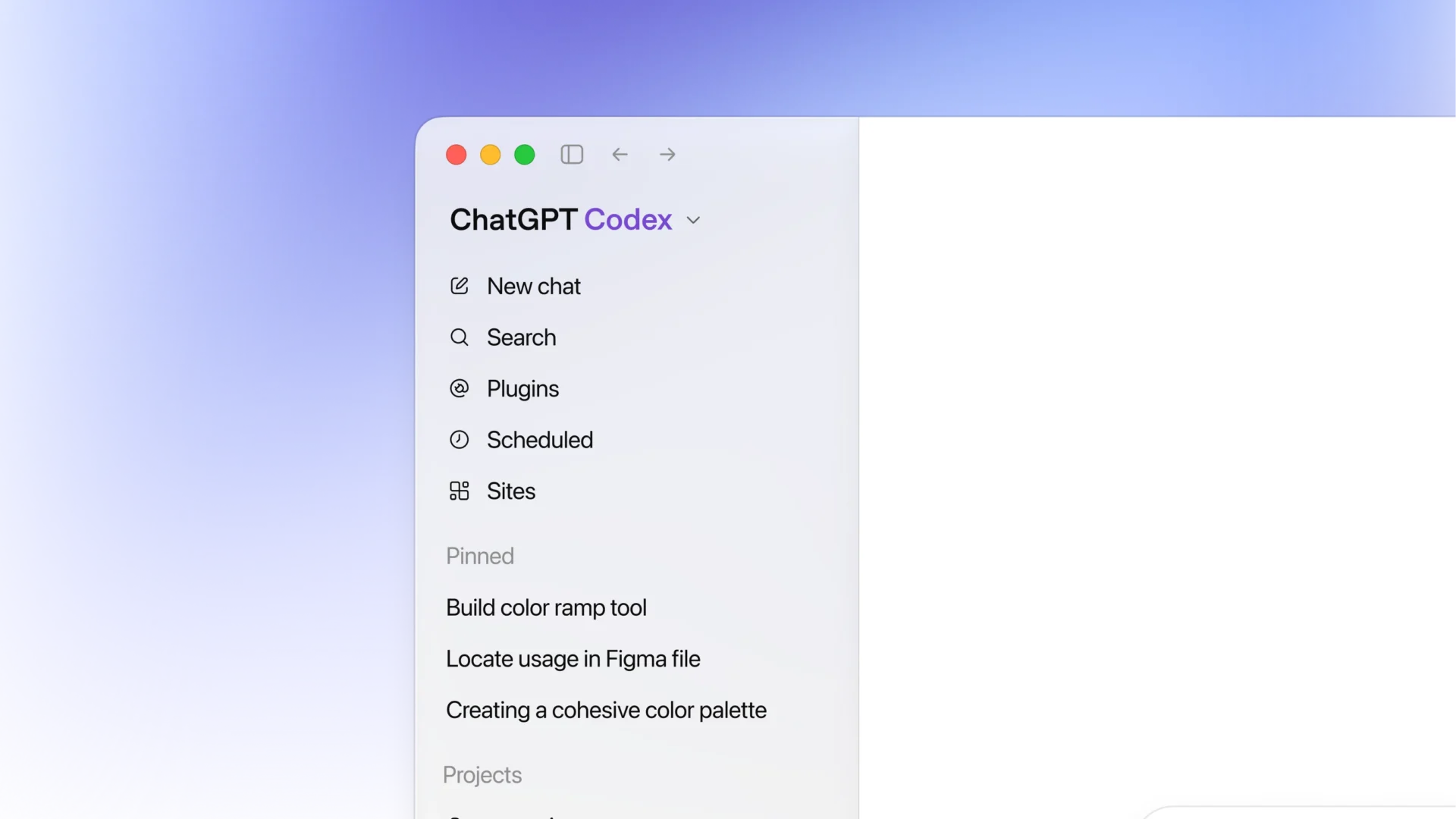
Codex isn’t only good at generating code. It’s increasingly good at holding responsibility for a complete unit of software work.
A strong Codex task can include:
- Reading the repository and its project instructions
- Explaining the architecture
- Creating an implementation plan
- Editing multiple files
- Running tests and linters
- Debugging failures
- Reviewing the final diff
- Preparing commits or pull requests
- Continuing with follow-up work after you inspect the result
OpenAI has also spent a lot of effort turning Codex into a platform rather than a single interface. Its use-case library spans dozens of workflows, which I covered in OpenAI’s Codex Use-Case Hub: 60+ Workflows Deep.
The product has become easier to operate across long conversations and multiple projects, too. I covered several of those quality-of-life changes in Codex Gets a UX Update.
Where Codex is strongest
Codex is the best fit when you want to delegate a defined engineering outcome instead of asking for snippets.
It’s especially strong for:
- Repository-wide feature work
- Bug investigations that require repeated testing
- Large refactors with clear acceptance criteria
- Pull-request preparation and review
- Parallel work across multiple agents
- Developers who move between desktop, terminal, IDE, and cloud workflows
- Teams already living inside the OpenAI and GitHub ecosystem
Where Codex can still frustrate you
Codex is powerful enough that the problems become operational rather than purely technical.
You need to give it clear boundaries. You need to review its assumptions. You need to watch which folders, repositories, and tools it can access. Long-running agents can produce a lot of work very quickly, including a lot of wrong work when the task is underspecified.
The product has also had rough edges. One Codex logging bug created enough disk activity to raise legitimate SSD-endurance concerns, which I covered in Codex Was Logging So Hard It Started Eating SSD Endurance.
That issue wasn’t a reason to abandon Codex. It was a reminder that agent infrastructure can fail in ways a normal autocomplete tool never could.
Codex verdict
Use Codex when you want the best all-around agent for substantial software work and you’re comfortable supervising outcomes instead of individual keystrokes.
2. Claude Code: Best Terminal-First Coding Agent
Claude Code is still the terminal purist’s weapon of choice.
Anthropic built it around a simple loop: gather context, take action, verify the result, and repeat. It can search a codebase, edit files, run commands, work with Git, create commits and pull requests, and connect to outside systems through MCP.
The reason Claude Code stands out isn’t only the model.
It’s the amount of control Anthropic gives serious users around the model.

Claude Code supports project instructions through CLAUDE.md, reusable skills, hooks that run before or after actions, subagents, memory, headless operation, CI integrations, and multiple development surfaces.
That makes it incredibly adaptable.
You can shape Claude Code around the repository instead of repeatedly explaining the repository to Claude Code.
Where Claude Code is strongest
Claude Code is excellent for:
- Developers who live in the terminal
- Large repositories with strong project conventions
- Teams that want shared instructions and reusable workflows
- Automated code review and issue triage
- Custom hooks for formatting, linting, validation, or policy checks
- MCP-heavy developer environments
- Users who want to build a deeply customized coding cockpit
Claude is also a strong security-oriented coding model. In one third-party benchmark I covered, GLM-5.2 beat Claude Code on IDOR detection while costing much less, but Claude remained the standard worth comparing against. Read GLM 5.2 Beat Claude Code on Security Benchmarks at One-Sixth the Cost for the numbers and caveats.
Where Claude Code falls behind Codex
Claude Code can operate across terminal, IDE, desktop, web, Slack, and CI environments, but its identity is still rooted in the command line.
That’s a strength for experienced developers and friction for everyone else.
Codex currently feels more cohesive as a broad multi-agent work surface. Cursor feels more natural as an editor. Hermes reaches further beyond software development.
Claude Code wins when you want an extraordinarily capable terminal agent that you can bend around your workflow.
It doesn’t automatically win when you want one polished place to manage every kind of agentic work.
Claude Code verdict
Use Claude Code when the terminal is your home and customization matters more than having the smoothest all-in-one interface.
3. Cursor: Best AI-Native Code Editor
Cursor makes the strongest case that the editor itself should become the agent interface.
Its foreground Agent can search a codebase, edit files, run terminal commands, and present changes through a familiar diff-review workflow. Its cloud agents can work asynchronously in remote environments and return the changes for review.
Cursor also reaches beyond the desktop.
Its web and mobile experience lets you launch work from another device, monitor progress, and bring the result back into the editor. I covered that expansion in Cursor for iOS Is Here: Native Cloud Agents and Remote Desktop Control.

Where Cursor is strongest
Cursor is the easiest recommendation for developers who want:
- A familiar VS Code-style editor
- Agent work beside the files being changed
- Fast codebase search and inline context
- Visual diff review
- Foreground and cloud agents
- Remote tasks that hand back into the desktop editor
- Less terminal setup than Claude Code or OpenCode
The interface is Cursor’s advantage.
You don’t have to mentally translate between a terminal agent, an editor, a remote worker, and a diff viewer. Cursor tries to keep those pieces inside one product.
The tradeoff
Cursor is also the most opinionated environment in this comparison.
It wants to be your editor, agent interface, background-work system, and model gateway. That convenience is useful, but it creates more product lock-in than a terminal harness such as OpenCode or a model-flexible agent such as Hermes.
Cloud agents also deserve careful permission review. Remote execution and internet access increase the blast radius of a bad instruction or prompt-injection attack.
Cursor verdict
Use Cursor when you want agentic coding to feel like a natural extension of your editor instead of a separate system you have to assemble yourself.
4. Hermes Agent: Best Open-Source Personal Agent for Builders
Hermes Agent is the odd one out in this comparison, and that’s precisely why it belongs here.
Hermes isn’t only a coding agent.
It’s a personal AI operator that can write code, run terminals, use browsers, search the web, manage files, delegate to subagents, remember information across sessions, create reusable skills, run scheduled jobs, and communicate through services such as Telegram, Discord, Slack, and WhatsApp.

I’ve already explained why that broader design matters in Hermes Agent Review: The AI Operator Behind My Whole Business.
When the task is purely software development, Codex or Claude Code may give you a more focused experience.
When the task is “research this API, inspect the repository, update the code, generate the documentation, create the release post, and message me when the tests pass,” Hermes starts playing a different game.
Where Hermes is strongest
Hermes is ideal for:
- Builders whose coding work is connected to research, content, operations, or automation
- People who want one agent across terminal, browser, files, messaging, and scheduled jobs
- Users who want broad model choice instead of one provider
- Open-source enthusiasts who want to inspect and extend the agent itself
- Remote work through messaging gateways
- Workflows that improve over time through memory and reusable skills
- Self-hosted or cloud deployments that aren’t tied to one laptop
Hermes supports a large and growing list of models and providers. That means you can choose the agent harness separately from the model doing the reasoning.
That separation is important.
A model can be replaced. A workflow, memory system, tool setup, and library of skills become infrastructure.
Where Hermes falls behind
Hermes gives you more moving parts.
That flexibility can become setup overhead. It isn’t as tightly focused on the editor experience as Cursor. It doesn’t have the singular terminal identity of Claude Code. It doesn’t have OpenAI’s integrated Codex surfaces.
You’re choosing a broader agent platform, not only a coding product.
That’s either the entire reason to install it or the reason it’s more than you need.
Hermes verdict
Use Hermes when coding is part of a larger personal or business workflow and you want an open agent that can learn, automate, communicate, and operate beyond the repository.
5. OpenCode: Best Open-Source Coding Harness
OpenCode is the cleanest recommendation for developers who want an open-source coding agent without inheriting an entire personal-agent platform.
It’s available through a terminal interface, desktop app, and IDE extension. It supports multiple model providers and gives developers a direct path to changing the harness, configuration, and model stack.
I reviewed its bundled subscription option in OpenCode Go Review: Is the $10/Month Coding Model Plan Worth It?.
The larger appeal isn’t one specific plan.
It’s control.

Where OpenCode is strongest
OpenCode makes sense for:
- Developers who want an open-source alternative to Claude Code or Codex
- Users who switch between open and proprietary models
- Terminal-first workflows
- Teams that want to inspect or modify the agent layer
- Builders who want to avoid tying their workflow to one AI vendor
- People who already have model API access and want a flexible interface
Where OpenCode falls behind
OpenCode asks more from the user.
The commercial products can hide model routing, infrastructure, updates, and integration decisions behind polished interfaces. OpenCode gives you more freedom, but you may have to assemble more of the experience yourself.
It also doesn’t have the same broad personal-memory and automation layer as Hermes or the editor polish of Cursor.
OpenCode verdict
Use OpenCode when open-source control and model flexibility matter more than having the most polished vertically integrated product.
6. ZCode: Best GLM-Native Long-Context Environment
ZCode isn’t trying to be a neutral shell around every possible coding model.
Its biggest advantage is deep integration with GLM-5.2.
Z.ai built the environment around long-horizon development work, large context, persistent project state, planning, terminal execution, browser context, Git state, review, and remote control.

I covered the launch in ZCode Is Z.ai’s Free Desktop IDE for GLM-5.2, and It’s Actually Good.
ZCode is especially interesting because GLM-5.2 isn’t only a cheap fallback model. It has shown legitimate strength in coding and security tasks, and its long context gives ZCode room to keep more of a complex project in play.
Where ZCode is strongest
ZCode is a compelling choice for:
- GLM Coding Plan subscribers
- Large repositories that benefit from long context
- Long-running tasks with repeated planning and verification
- Developers who want desktop, remote, and bot-controlled workflows
- Users looking for a lower-cost alternative to premium Western coding stacks
- Teams willing to build around the Z.ai ecosystem
Where ZCode falls behind
ZCode is newer and more tightly linked to one model family.
That deep integration creates performance and workflow advantages, but it also means the product’s value is closely tied to GLM’s continued competitiveness.
Codex, Claude Code, Cursor, OpenCode, and Hermes each have larger or more varied ecosystems around them.
ZCode verdict
Use ZCode when you specifically want GLM-5.2, large-context engineering work, and a desktop environment designed around long-running agent tasks.
7. Grok Build: Most Interesting New Challenger
Grok Build arrived with the subtle energy of a truck entering through the side wall.
SpaceXAI released it as an open-source coding agent that can run interactively in a terminal, headlessly inside scripts and bots, or through the Agent Client Protocol in other applications.
I covered the release in SpaceXAI Open Sources Grok Build and Resets Usage Limits for Every User.
The architecture is immediately appealing:
- Open source
- Terminal-first
- Headless operation
- Scriptable output
- ACP integration
- Plan and approval modes
- Plugins, hooks, skills, MCP servers, and subagents
- Tight pairing with Grok’s coding-first models
Why I’m not crowning it yet
Grok Build is new.
A coding agent earns trust through months of ugly repository work, failure recovery, permission handling, privacy scrutiny, and boring reliability. A strong launch and an impressive feature list aren’t the same thing as a mature daily driver.
Before you point it at a sensitive repository, inspect its permission rules, run grok inspect, and confirm the data-retention state through /privacy. SpaceXAI documents separate permission, sandbox, and privacy controls, but you’re still responsible for configuring them correctly.
The ingredients are there.
The verdict needs more mileage.
Grok Build verdict
Use Grok Build if you want to explore a fast-moving open-source challenger and you’re comfortable being early. Keep it on the watchlist if reliability matters more than novelty.
Head-to-Head: Which Agent Wins Each Workflow?
Understanding an unfamiliar repository
Winner: Claude Code, with Codex close behind
Claude Code’s terminal workflow, project instructions, memory, search tools, and customization make it extremely good at building a mental model of an existing repository.
Codex is nearly as strong and may be easier to operate across desktop and cloud environments.
ZCode becomes particularly interesting when the repository is enormous and GLM-5.2’s context window can be used effectively.
Planning a large multi-file change
Winner: Codex
Codex is strongest when the prompt describes a concrete engineering outcome, acceptance criteria, constraints, and verification steps.
Hermes is also excellent when the plan involves research, external documentation, or non-code deliverables alongside the implementation.
Interactive pair programming
Winner: Cursor
Cursor keeps the agent beside the files, terminal, search tools, and diff. That reduces the friction between asking, reviewing, adjusting, and continuing.
Claude Code wins for terminal-focused pair work, but Cursor provides the smoother visual loop.
Long-running autonomous tasks
Winner: Codex
Codex’s cloud and desktop agent surfaces make it the strongest general recommendation for delegated work that may run for a long time.
ZCode is a serious contender for long-horizon GLM tasks. Cursor’s cloud agents are strong when the workflow should return directly into the editor. Hermes wins when the task extends beyond code and needs scheduled or message-driven operation.
Model flexibility
Winner: Hermes Agent
Hermes supports a wide range of model providers and lets the agent workflow survive even when the preferred model changes.
OpenCode takes second place for developers who want a lighter, coding-specific harness with broad provider choice.
Open-source control
Winner: OpenCode for coding focus, Hermes for breadth
OpenCode is easier to recommend when you want an open-source coding harness and nothing more.
Hermes is the stronger choice when you want the coding agent to become part of a larger open personal-agent system.
Grok Build is the newest option in this lane and could move quickly.
Mobile and remote operation
Winner: Hermes Agent
Hermes can be reached through messaging gateways and can run on remote infrastructure that isn’t tied to your laptop.
Cursor offers an excellent remote coding workflow through web and mobile agents. ZCode also supports remote control and bot-driven continuation. Codex supports cloud work, but Hermes remains the most flexible communication layer.
Safety and user control
Winner: No automatic winner
Every powerful coding agent can damage a repository, leak secrets, execute the wrong command, or confidently solve the wrong problem.
The important question isn’t whether the company says the agent is safe.
Ask:
- What can it read?
- What can it write?
- Which commands run automatically?
- Does it have internet access?
- Is it running locally or on remote infrastructure?
- Can it access secrets or production credentials?
- Does it stop before destructive or irreversible actions?
- Can you inspect the diff and command history?
The more autonomous the tool becomes, the more precise your task boundaries need to become.
Which AI Coding Agent Should You Choose?
Choose Codex if:
- You want the strongest all-around option
- You delegate complete engineering tasks
- You want local, IDE, desktop, and cloud workflows
- You manage multiple agents or repositories
- You already use ChatGPT and OpenAI’s developer ecosystem
Choose Claude Code if:
- You live in the terminal
- You want deep customization through instructions, skills, hooks, and MCP
- You work in large, mature repositories
- You want an agent that feels like a powerful command-line collaborator
Choose Cursor if:
- You want the agent built directly into your editor
- Visual diffs and interactive iteration matter
- You want cloud agents without assembling your own infrastructure
- You prefer a polished product over an open harness
Choose Hermes Agent if:
- Coding is only one part of your workflow
- You want memory, skills, browsers, files, messaging, and scheduled work
- You want to use different models without replacing your entire agent setup
- You want an open personal agent you can run locally or remotely
Choose OpenCode if:
- You want an open-source, coding-focused agent
- You already have model providers or API keys
- You want to avoid one-vendor lock-in
- You enjoy configuring your own toolchain
Choose ZCode if:
- You want GLM-5.2 as your primary coding model
- Long context and long-running work are priorities
- You want a lower-cost agentic development environment
- Remote control and bot-driven tasks fit your workflow
Choose Grok Build if:
- You want an open-source coding agent from SpaceXAI
- You need interactive, headless, or ACP-driven operation
- You’re comfortable adopting a new tool before the dust settles
A Warning About Vibe Coding With Agents
The better these tools get, the easier it becomes to confuse generated output with verified engineering.
That problem is bigger than sloppy prompts.
An agent can produce a beautiful implementation, pass the tests it wrote, explain the architecture with total confidence, and still misunderstand the requirement or create a security problem the existing test suite never catches.
I wrote about that broader trap in What Is Vibe Coding? The New Trend That Kills Code Quality.
The answer isn’t to stop using coding agents.
The answer is to stop grading them by how impressive the first draft looks.
A serious workflow should include:
- A clear outcome
- Source-of-truth files and documentation
- Explicit constraints
- Acceptance criteria
- Required tests
- A final diff review
- A human decision before merge or deployment
Agents are becoming excellent at doing work.
You’re still responsible for deciding whether it’s the right work.
The Bottom Line
The best AI coding agent in 2026 is OpenAI Codex.
It has the strongest overall combination of repository work, long-running execution, multiple surfaces, cloud agents, local tools, review workflows, and product maturity.
But the more useful answer is this:
- Codex is the best all-around choice.
- Claude Code is the best terminal-first choice.
- Cursor is the best editor-first choice.
- Hermes Agent is the best choice when coding belongs inside a larger agent workflow.
- OpenCode is the best open-source coding harness.
- ZCode is the best environment built specifically around GLM-5.2.
- Grok Build is the challenger worth watching.
There’s no single agent that wins every job.
The real upgrade is learning to choose the right agent for the work, give it a concrete contract, and verify the result before its confidence becomes your production incident.
Reviewed & written by
Tony Simons
Tony has a bachelor's degree from the University of Phoenix and over 14 years of writing experience between multiple publications in the tech, photography, lifestyle, and deal industries.


