
How Students And Faculty Can Get A Free Year Of Perplexity Pro
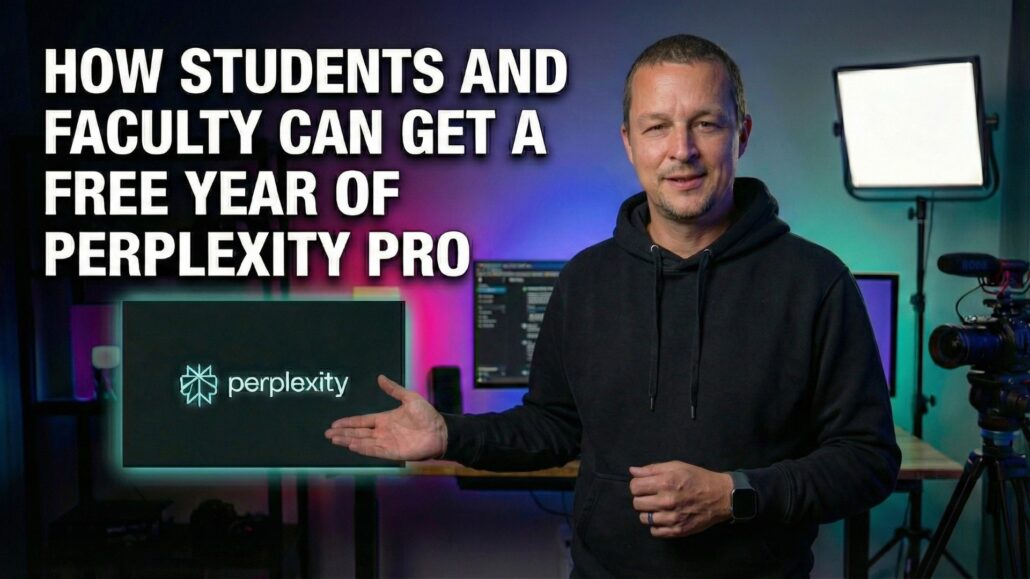
Perplexity has a legit education offer that can land you up to a full year of Pro for free. The catch: the messaging isn’t always consistent across pages and pop-ups, and sometimes the subscription doesn’t “stick” to your account right away.
This guide walks you through the clean way to do it, plus what to do when Perplexity says you’re verified but your account still acts broke.

How Students And Faculty Can Get A Free Year Of Perplexity Pro
Verify your academic affiliation through SheerID, then double-check your plan status—because the biggest “gotcha” is Pro not syncing right away.
- Not Just Students: If you work at a university and can verify your affiliation, you may qualify—this isn’t strictly “students only.”
- The Actual Move: Go to Upgrade → Education, run the SheerID verification, then confirm your renewal date to see what free period you got.
- Sync Issues Happen: If you’re verified but Pro features are missing, it’s usually an account entitlement mismatch. Support can fix it—sometimes after a couple days.
Who Can Get The Education Offer
Despite how people talk about it online, this isn’t strictly “students only.” The education plan is intended for people affiliated with higher education, which can include:
- Students
- Faculty
- University employees (depending on verification)
Real-world example: I’m not a student. I work at a state university, verified through SheerID using my .edu, and ended up with a full year of Pro on my account.
Two important notes:
- A
.eduemail alone isn’t a guaranteed golden ticket. Verification is based on what SheerID can confirm about your affiliation. - Offers can change over time, and different people may see different free periods after verification.
What You’ll Need Before You Start
- A Perplexity account (free is fine)
- Access to your university identity (email and/or documentation, depending on what SheerID asks for)
- A browser you can log into cleanly (bonus points if you can disable aggressive ad blockers for five minutes)
Step By Step How To Get The Free Year
Step 1 Make Or Sign Into Your Perplexity Account
Log into Perplexity on the web. You can do this on mobile too, but web is usually easier for verification flows and troubleshooting.
Tip: If you’ve ever created multiple Perplexity accounts (personal email, Apple “Hide My Email,” campus email), slow down and confirm which one you actually want Pro on.
Step 2 Open The Education Upgrade Path
In Perplexity:
- Click Upgrade (usually in the lower-left on desktop)
- Look for the Education plan option
- Select Verify as student (or the equivalent education verification button)
This launches the SheerID verification flow.
Step 3 Complete SheerID Verification
SheerID typically verifies you using one or more of the following:
- A school login / database match
- Your school email
- Documentation (sometimes)
Follow the prompts, submit what it asks for, and finish the flow.
Step 4 Confirm You Actually Have Pro (Don’t Trust The Confetti)
After verification, go to your account/subscription settings and look for:
- Your current plan showing Pro (or Education Pro)
- A renewal date that’s far enough out to match the free period you received
If you’re aiming for the full year, the easiest sanity check is whether your renewal date is roughly 12 months away.
If it only shows a month (or a shorter period), keep reading—there are a few reasons that happens.
The Most Common Problem: Pro Doesn’t Sync After Verification
This is the annoying one: you get approved, but Perplexity still behaves like you’re on the free plan.
Symptoms look like:
- Pro-only features missing or locked
- Your plan page still showing Free
- The app and the web disagree about your subscription status
Fixes To Try First (In Order)
- Log out and log back in (yes, really)
- Hard refresh the web app (or clear site data/cache)
- If you’re on mobile, force close the app and relaunch
- Confirm you’re signed into the same account you verified for
- If you verified with a different email than your Perplexity login, this is where things go sideways
- Check whether your verification is pending vs approved
If you do all of that and it still doesn’t show Pro, it’s time to stop clicking buttons and just contact support.
How To Contact Support And What To Say
If your verification is approved but your Pro access isn’t active, support can usually fix it by syncing the subscription to the right account.
In my case, the Pro features weren’t syncing at first. I contacted support, and after a couple of days they got it sorted out. Once it flipped, Pro was fully active.
What To Send Support (Copy/Paste Friendly)
Keep it short and specific:
- “I verified through SheerID and received confirmation, but Pro features aren’t active on my account.”
- Include the email you use to sign into Perplexity.
- If you verified under a different email (campus identity vs personal login), say that plainly.
- If you used Apple “Hide My Email,” mention it.
The goal is to help them identify whether the Pro entitlement is attached to the wrong user record.
Why Your Free Period Might Not Be A Full Year
Even if you do everything right, you might not see the same free period as someone else.
Possible reasons:
- Different education campaigns running at different times
- Different eligibility categories (student vs staff vs faculty)
- Verification method used (database match vs documentation)
- Account history (existing subscriptions or prior trials)
The best approach is still the same:
- Verify.
- Check your plan status and renewal date.
- If the result doesn’t match what you expected and you believe you’re eligible, contact support.
Can You Extend It With Referrals
Perplexity has run referral programs that let users earn additional free months, and in some cases those months stack on top of other promotions.
But referral availability and limits can vary over time and by account. Treat it as a bonus, not the core strategy.
If you have a referrals page in your account, check:
- Whether you’re eligible
- How many months you can earn
- Whether those months stack on top of your education offer
FAQ
Do I need a .edu email?
Not always, but it helps. What matters is whether SheerID can verify your affiliation with an eligible institution.
I work at a university. Am I eligible?
Maybe. Education verification can include faculty/staff depending on what SheerID can confirm. If you’ve got a university identity and you can verify, it’s worth trying.
I verified successfully but I still don’t have Pro.
That’s usually a sync issue. Try logging out/in, clearing cache, and confirming you’re on the same account. If it still doesn’t work, contact support and explain that verification succeeded but Pro isn’t active.
Can I move the education plan to a different account?
Sometimes the answer is effectively “no” in practice. If you want the plan on a different login, you may need to verify again on the account you actually use.
Is this safe?
You’re using a third-party verification provider. Don’t submit anything you aren’t comfortable providing, and read the prompts carefully. If SheerID asks for documentation, it’s for eligibility verification.
Tony’s Take
Perplexity’s education offer is one of the rare “free Pro” deals that’s actually worth doing because it’s not a sketchy code, it’s a verification flow. But the experience can be janky: you might verify and still not get access until support flips the right switch.
The move is simple: verify, then check your renewal date. If it doesn’t match what you expected—or Pro doesn’t show up at all—skip the doomscrolling and go straight to support with clear details. It’s usually fixable.
What To Do Next
- Verify through the Education plan.
- Confirm your plan status and renewal date.
- If Pro features aren’t active, run the quick fixes.
- If it still isn’t fixed, contact support with the exact account email and verification details.






Leave a Reply
Want to join the discussion?Feel free to contribute!