
Tech & Gear · Review
MacBook Pro M5 Review: My First Mac Completely Won Me Over
I bought the 14-inch MacBook Pro M5 as my first Mac and immediately put it to work building Hermes Fleet. Here's how it handled real development, 24GB of memory, battery life, macOS, and more.
 By Tony Simons 17 min read
Disclosure: Personally purchased from Best Buy for $2,199 before tax ($2,352.93 total). This page may contain affiliate links; I may earn a commission at no extra cost to you. It never changes the verdict. Details

Disclosure
I may earn a commission from qualifying purchases. Opinions stay independent. Full disclosure
My first Mac was supposed to be an experiment.
A few weeks later, it had become one of the busiest machines on my desk.
I bought the 14-inch MacBook Pro with Apple's M5 chip because I'd never owned a macOS device and had wanted to try one for years. The timing was also wonderfully stupid. I was already shopping when Apple was about to shake up the desktop Mac lineup, and patience has never exactly been my strongest feature.
So I bought the laptop.
Now it spends its days running my development environment, building Hermes Fleet, running Xcode and simulators, juggling AI coding agents, driving two external monitors, and generally being treated less like a precious laptop and more like an employee who forgot to join a union.
And somehow, it just keeps going.
That's what surprised me most about this MacBook Pro. Not a benchmark number. Not some flashy AI feature. It's how consistently smooth and reliable the whole thing has been.
There are things I don't love. Twenty-four gigabytes of unified memory at this price still annoys me, and I've already found the limits when working with local AI models.
But as a first-time Mac owner coming from Windows and Linux?
Yeah. I get it now.
Disclosure: I bought this MacBook Pro myself from Best Buy. Apple had no involvement in this review.
Affiliate disclosure: This review includes paid Amazon links. As an Amazon Associate I earn from qualifying purchases. This costs you nothing extra and does not affect my verdict.
Apple MacBook Pro M5 (14-inch): the short version
My first Mac completely won me over. Outstanding stability, premium build quality, a gorgeous display, and excellent real-world development performance. The one thing keeping it from a perfect score is Apple’s pricing, particularly the limitations of a 24GB unified-memory configuration at this price.
My take
- Configuration
- Apple M5, 10-core CPU, 10-core GPU, 24GB unified memory, 1TB SSD, Space Black
- Display
- 14-inch Liquid Retina XDR
Pros
- Outstanding system stability
- Premium aluminum construction
- Beautiful Liquid Retina XDR display
- Excellent M5 development performance
- Superb keyboard and trackpad
- Impressive speakers, microphone and webcam
- Easy transition from Windows and Linux
Cons
- Expensive for a 24GB unified-memory configuration
- Memory ceiling becomes restrictive for larger local AI models
- 14-inch screen can feel cramped
- Fans become audible during sustained builds
Personally purchased from Best Buy for $2,199 before tax ($2,352.93 total). Opinions are my own. Affiliate links may earn me a commission at no extra cost to you. How I test things →
My MacBook Pro M5 configuration
First, an important clarification.
This is the 14-inch MacBook Pro with the standard Apple M5 chip, not the more expensive M5 Pro.
Apple lists the M5 with 153GB/s of memory bandwidth. The built-in Liquid Retina XDR display runs at 3024 × 1964 and supports ProMotion adaptive refresh rates up to 120Hz. You can see the full MacBook Pro M5 technical specifications on Apple’s site.
My receipt says $2,199 before tax. After Iowa got its bite, the final damage was $2,352.93.
Shopping for this exact configuration? Check the 14-inch M5 MacBook Pro with 24GB RAM and 1TB SSD in Space Black on Amazon (paid link). My purchase price above is historical; check Amazon for its current price and availability.
That price matters, because it’s also the source of my biggest complaint.
We’ll get there.
Design and build quality: Premium AF
My first impression when I pulled this thing out of the box was pretty simple.
This feels expensive.
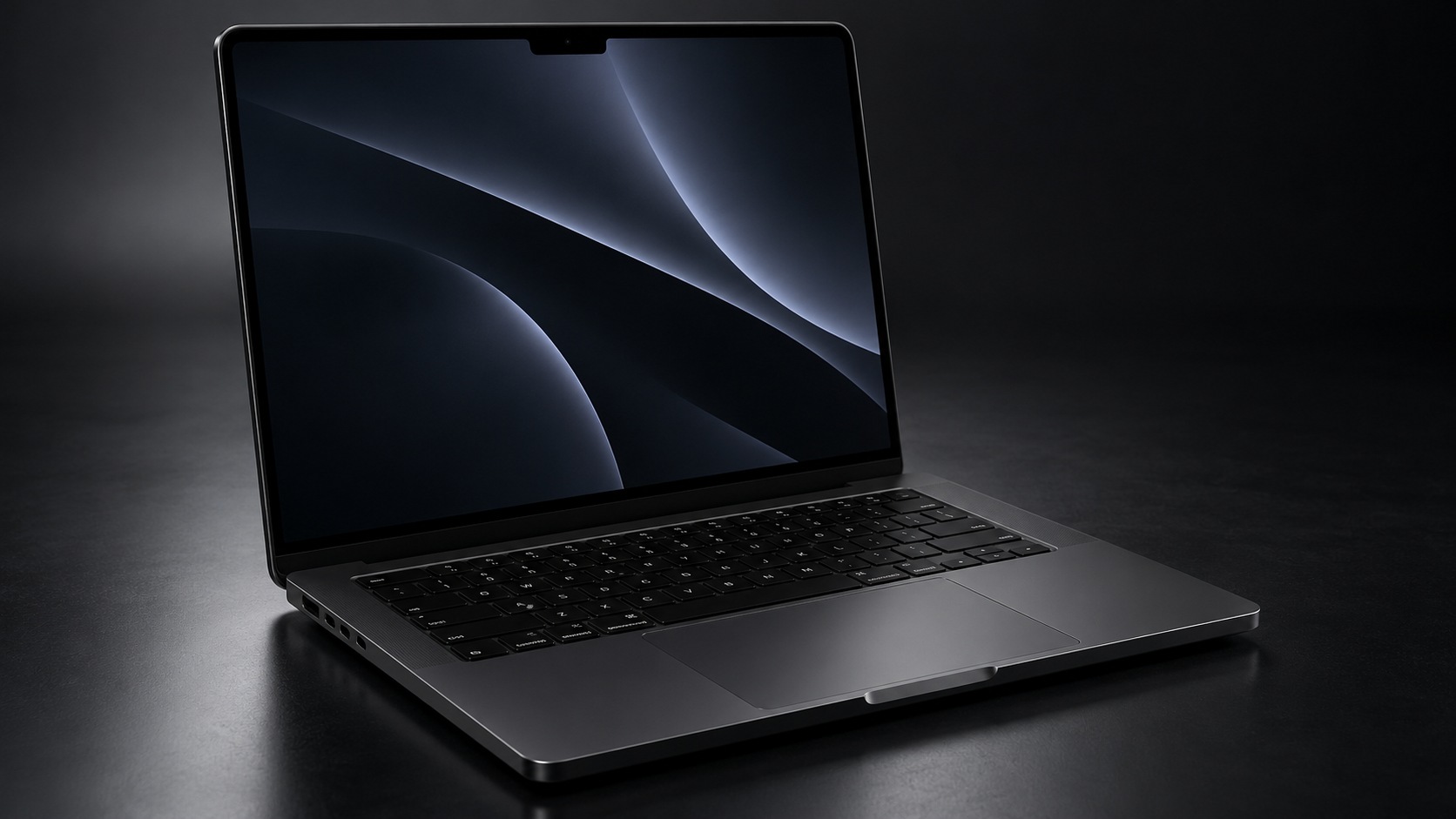
The design itself is minimal. There isn't anything wild going on here. But the materials, the construction, the hinge, the keyboard, the trackpad, and just the overall solidity make it feel like a premium piece of hardware.
Premium AF, honestly.
I've used plenty of expensive Windows laptops, including my Lenovo Legion 9i with an RTX 4090. I'm not saying Apple has somehow discovered aluminum and nobody else knows about it.
But the MacBook Pro does an excellent job of feeling like one cohesive machine rather than a collection of expensive parts bolted together.
After several weeks of using it constantly, that first impression hasn't really changed.
It looks good, it feels good, and nothing about the hardware has started feeling cheap once the honeymoon period wore off.
Moving from Windows and Linux to macOS was surprisingly easy
This was the part I expected to be annoying.
I've spent years bouncing between Windows and Linux. macOS was completely new territory for me.
And honestly?
The transition was way easier than I expected.
The biggest adjustment was the keyboard layout and learning new shortcuts. Command instead of Control in places, different combinations for familiar actions, and all the other little bits of muscle memory you don't realize you've built until somebody moves the furniture.
It didn't take long.
In fact, I've now created the opposite problem.
I catch myself sitting down at my Windows or Linux machines and trying to use Mac-specific shortcuts there.
So congratulations, Apple. You've successfully scrambled my keyboard muscle memory across three operating systems.
The tradeoff has been worth it.
I particularly like the trackpad gestures. Swiping between full-screen apps has become a normal part of how I work now. I'm sure there are still plenty of macOS tricks I haven't discovered, but the basic workflow clicked much faster than I expected.
The display is gorgeous, but 14 inches is still 14 inches
The Liquid Retina XDR display is excellent.
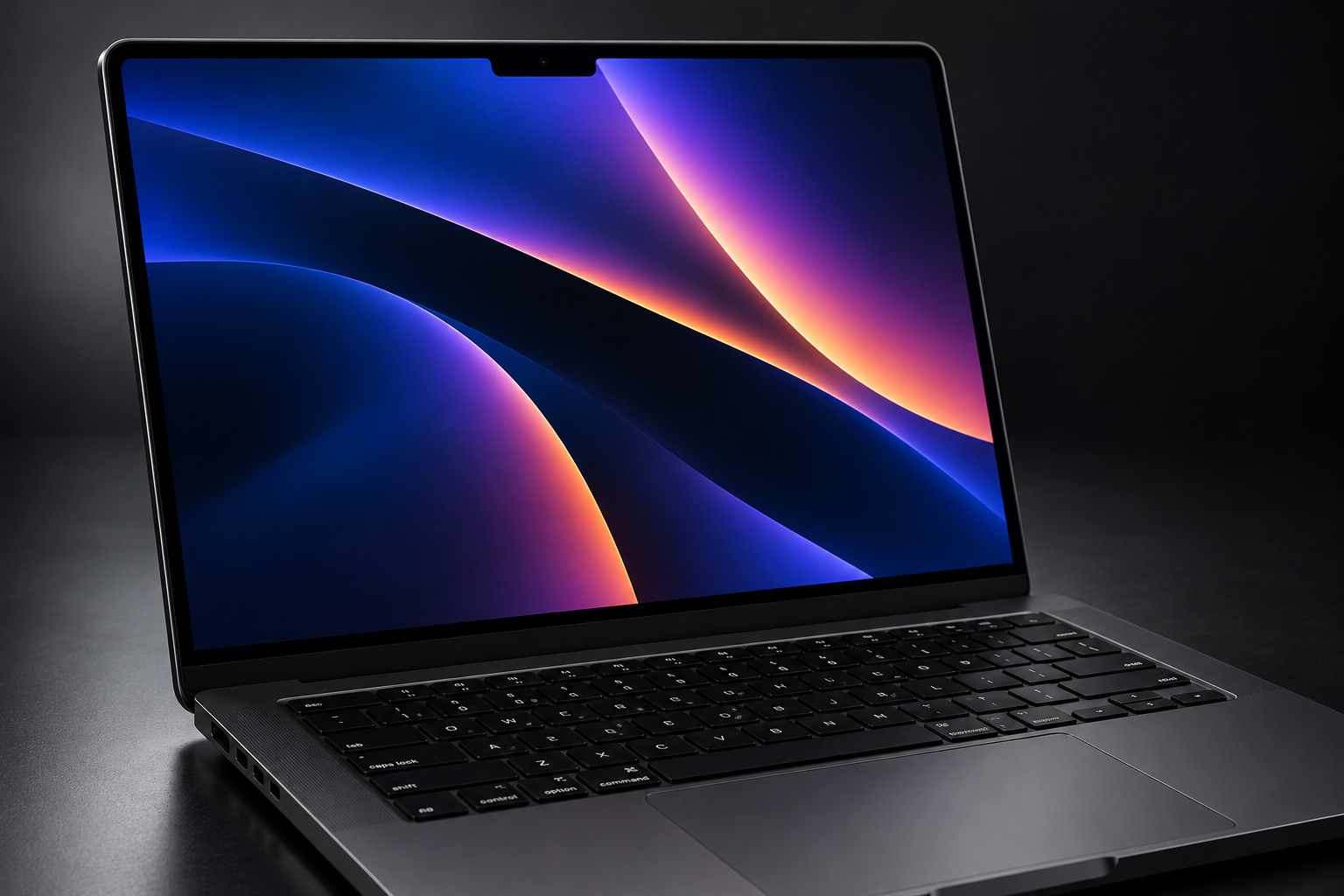
Colors look fantastic. Text is incredibly sharp. Everything feels polished, and ProMotion makes motion look wonderfully smooth.
Apple specifies a 14.2-inch 3024 x 1964 panel with up to 120Hz adaptive refresh. It can hit up to 1,600 nits peak brightness for HDR content.
I don't have professional display-calibration equipment, so I'm not going to pretend I measured any of that myself.
What I can tell you is that the screen looks phenomenal.
My only complaint isn't really about the quality of the display.
It's the size.
I bought the 14-inch model, and there are times when things can feel a little small. Text and interface elements were occasionally harder for me to read comfortably at the default settings.
The solution was easy. I increased the display scaling and moved on with my life.
Still, if screen real estate matters more to you than portability, this is something I'd think about before choosing 14 inches over a larger MacBook Pro.
Real-world M5 performance: This thing has been working
I didn't buy this MacBook to browse Facebook and admire the wallpaper.
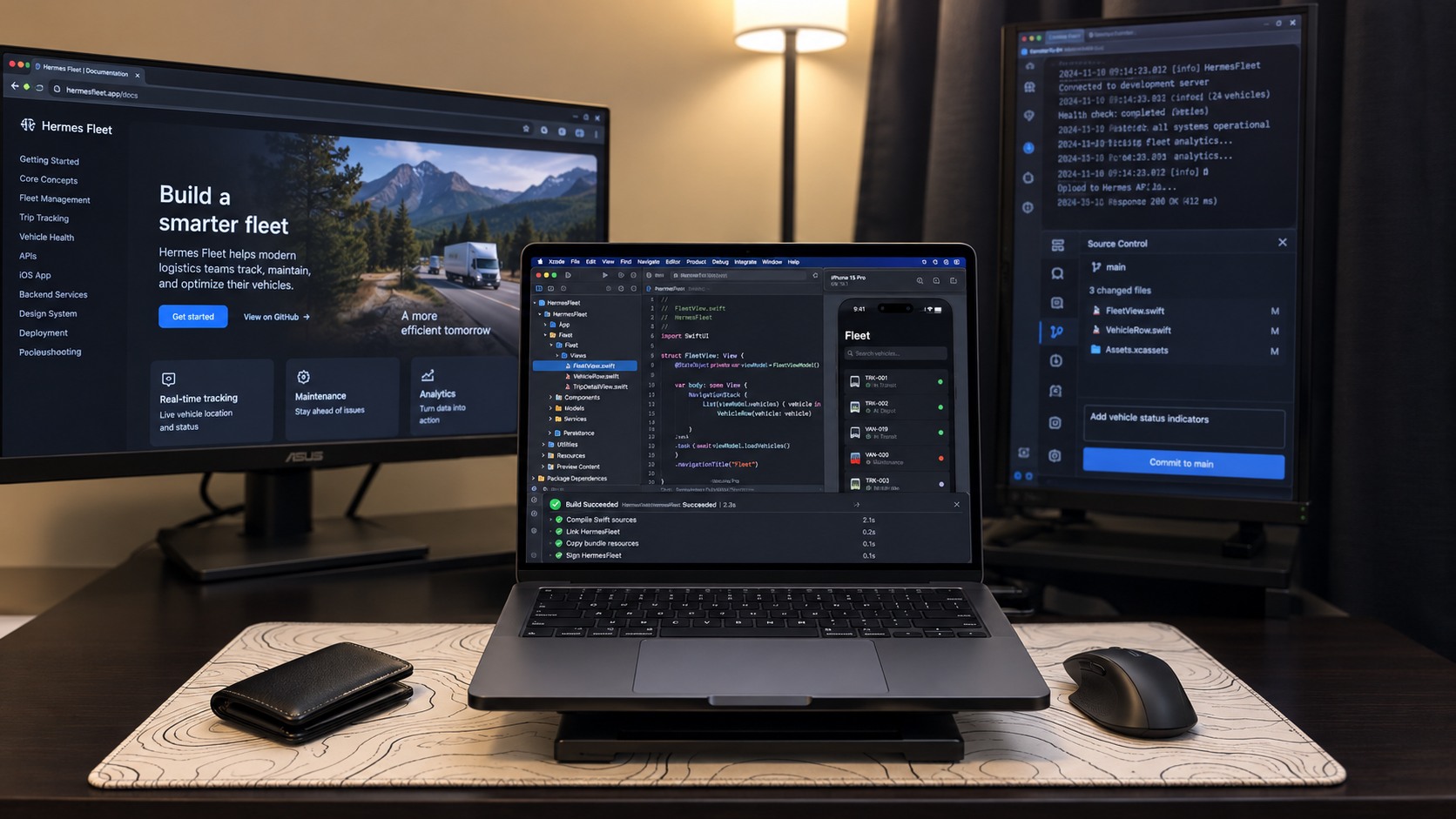
Shortly after getting it, I started working on Hermes Fleet, my iOS client for managing Hermes Agent systems.
That means this machine regularly sees Xcode, Swift builds, simulators, test runners, browsers, Claude, Codex, Hermes, terminals, and whatever else I happen to have piled onto the desktop that day.
I've heard the fans come on.
I've felt the machine get warm.
I've absolutely been able to tell when it's cooking.
What I haven't felt is the MacBook slowing down.
I haven't experienced the kind of stuttering or general sluggishness that makes me start closing things because the machine is begging for mercy.
More importantly, I haven't had a single crash or freeze so far.
That's probably the most impressive part of this entire experience.
I leave this machine running constantly. I lock the screen when I'm not using it, but I don't usually close the lid and put it to sleep. Development work and agents continue doing their thing in the background.
It just keeps running.
I let Hermes inspect what was actually happening
Rather than rely entirely on how the machine felt, I had Hermes perform a read-only system inspection while the MacBook was in the middle of a real development session.
This was not a synthetic benchmark.
In fact, Hermes specifically refused to run synthetic benchmarks because the Mac was too busy with legitimate development work to produce clean results.
That decision gave me something more useful for this particular review.
A snapshot of what my MacBook actually deals with.
During the observation window, the system had Xcode build services, xcodebuild, Swift testing tools, XCTest processes, CoreSimulator processes, Hermes Fleet, Claude, Codex, Hermes-related processes, browsers, and macOS background services running.
At one point, the machine was so busy that CPU samples showed only around 4% to 12% idle capacity.
And the memory situation was even more interesting.
The 24GB memory story is complicated
This is my biggest complaint with this configuration.
Twenty-four gigabytes of unified memory does not feel generous on a laptop that cost me more than $2,300 after tax. I also covered the broader Apple hardware price increases during the memory shortage, but that context does not make this configuration feel like a bargain.
Yes, I understand unified memory is not exactly the same thing as RAM plus dedicated VRAM on a conventional PC.
No, that does not magically make 24GB feel huge.
And my real-world measurements show just how hard macOS can work to stretch it.
During the development observation, Hermes repeatedly saw about 23GB of physical memory in use.
macOS was also using roughly 7.4GB to 8.9GB of compressed memory during later snapshots.
The really eye-opening number was swap.
Hermes recorded roughly 23.6GB to 24.4GB of swap in use during the busy development session.
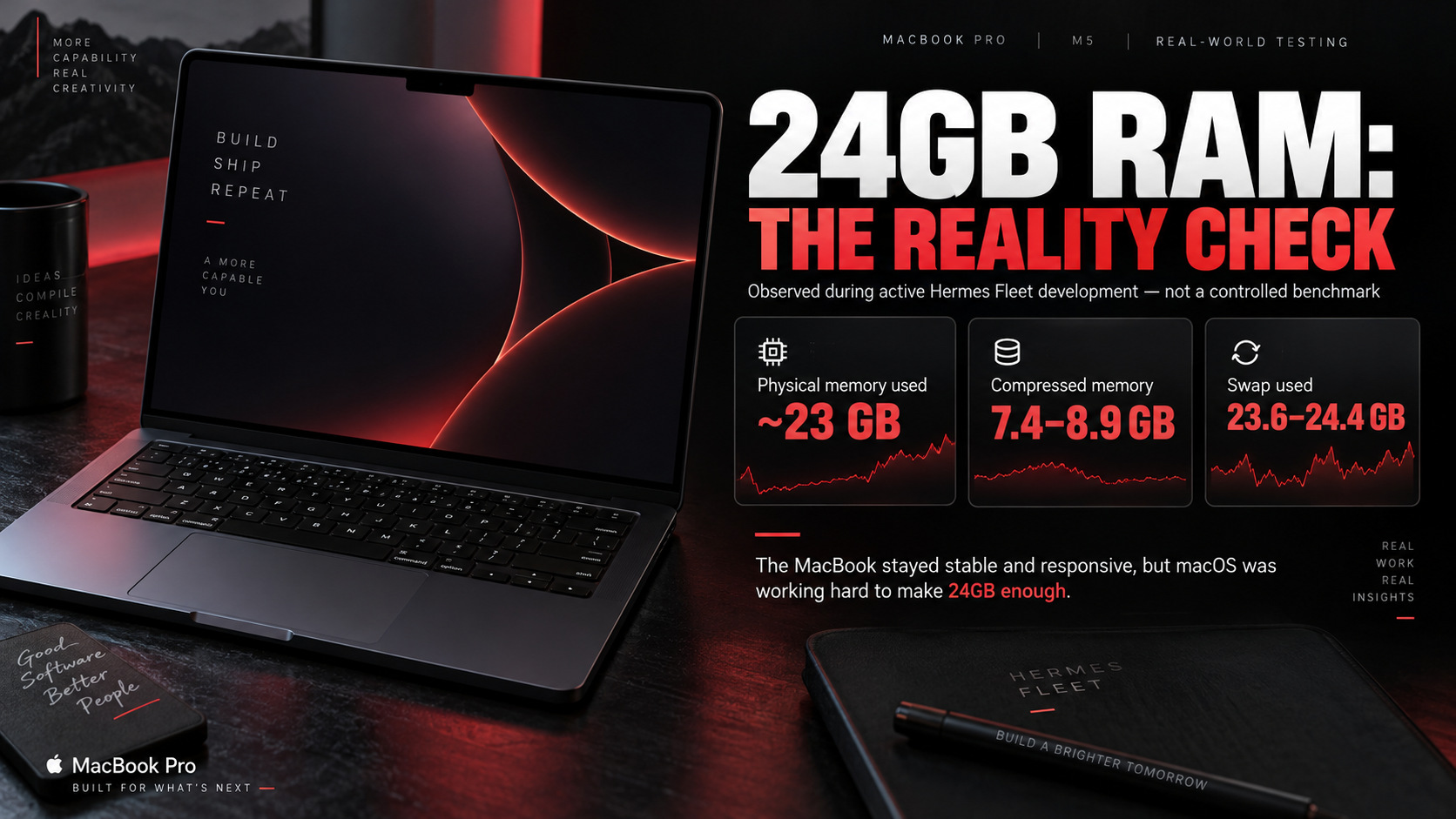
That's a lot.
Now, here's the important part.
Those numbers do not prove the MacBook was slow.
They don't prove one particular application caused the swap use. They don't prove every MacBook with 24GB will behave this way. And because this was a real working environment instead of a controlled lab test, I'm not pretending we isolated every variable.
What they do show is that my workflow can put serious pressure on a 24GB configuration.
And here's the weird thing.
Despite macOS leaning heavily on compression and swap, I still wasn't noticing meaningful slowdown while using the machine.
That's both impressive and slightly ridiculous.
The MacBook keeps feeling fast while the operating system is apparently backstage juggling flaming chainsaws to make 24GB work.
Local AI is where I actually notice the 24GB ceiling
The memory limitation becomes much more obvious when I start messing with local AI models.
That's not particularly surprising.
Large language models can chew through memory quickly, and 24GB isn't an enormous pool once you're sharing it across the CPU, GPU, the operating system, and everything else running on the Mac. If you're new to this, I have a guide to running local LLMs on your own hardware.
I've already hit situations where the models I'd like to run locally with Hermes Agent simply aren't realistic or comfortable on this configuration.
That's one of the reasons I recently ordered a Mac mini with 48GB of unified memory and a 1TB SSD.
Apparently my response to being annoyed by Apple's memory pricing was to buy another Mac.
Fantastic financial discipline.
The Mac mini has since arrived, and I've started putting its extra memory to use for local-model experiments. This MacBook remains my portable development machine.
I haven't done a controlled apples-to-apples local-model comparison between the two Macs yet. I'll save that for a dedicated follow-up rather than inventing performance numbers here.
Thermals and fan noise: Audible, but not alarming
The MacBook Pro is not silent when I'm hammering it.
During larger builds, I can hear the fans.
The chassis gets warm too, but I haven't experienced anything I'd describe as ridiculous or uncomfortable.
During Hermes' read-only inspection, macOS reported no thermal warning, no performance warning, and no CPU power warning.
That doesn't tell us an exact temperature, and Hermes couldn't physically listen to the fans or touch the chassis.
So I'm keeping the claims simple.
Under sustained development work, the fans become audible and the laptop gets warm.
So far, I haven't noticed that translating into reduced responsiveness.
Battery life: My 4 to 5 hours is not Apple's 24 hours
Apple advertises up to 24 hours of video streaming and up to 16 hours of wireless web use for the M5 configuration.
Apple's own testing used a system with an M5 chip, 24GB of unified memory, and a 1TB SSD, which is essentially my configuration. You can read the methodology in Apple's official M5 technical specifications.
I am not getting 24 hours.
I'm not getting 16 hours either.
During the kind of work I actually do, I've generally seen around 4 to 5 hours of solid use before I want to plug it back in.
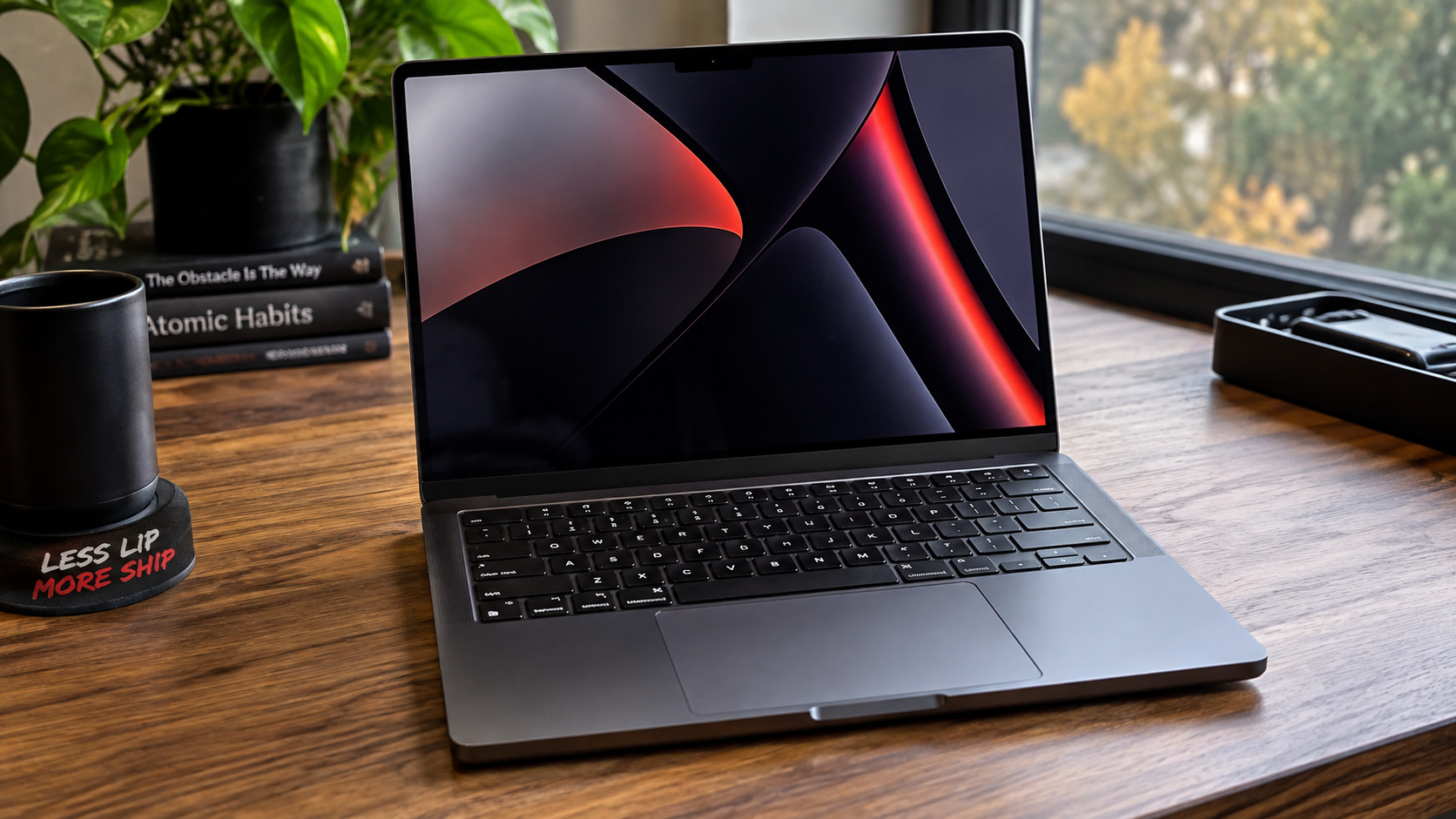
But here's the thing.
I'm not streaming a 1080p video in Safari.
I'm running development tools, browsers, agents, builds, terminals, simulators, and other fairly demanding workloads.
So I don't consider my 4 to 5 hour observation some grand debunking of Apple's battery claim.
They're completely different workloads.
I also haven't performed a controlled battery rundown test, so treat my number as an ownership observation rather than a laboratory result.
Compared with my Legion 9i with an RTX 4090, though?
The MacBook's unplugged experience is immensely better.
That's not exactly shocking considering what the Legion is packing, but it matters when I'm actually trying to use a laptop as a laptop.
Keyboard and trackpad: Apple gets this stuff right
I really like both.
The keyboard took a little adjustment because of the macOS layout, but the hardware itself feels great to type on.
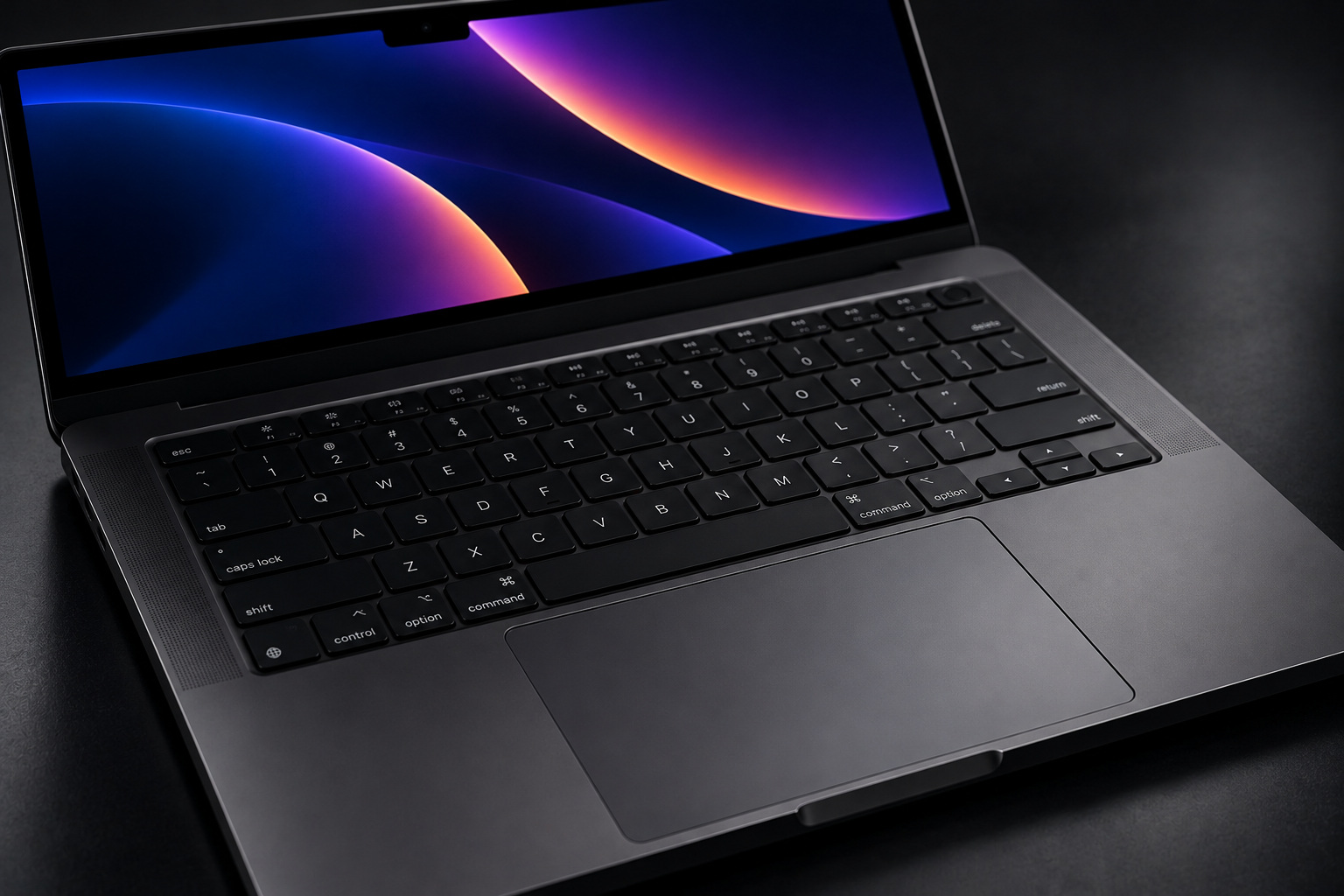
The trackpad might be even better.
It's large, accurate, and the gestures fit naturally into macOS. Swiping between full-screen applications has become one of those little things I now miss when I jump onto another machine.
I know praising Apple's trackpad is about as groundbreaking as announcing that water remains wet.
Still, there's a reason people keep talking about it.
It's really good.
Ports haven't bothered me
I expected the port situation to annoy me more than it actually has.
My M5 MacBook Pro gives me three Thunderbolt 4 ports, HDMI, an SDXC card slot, a headphone jack, and MagSafe 3.
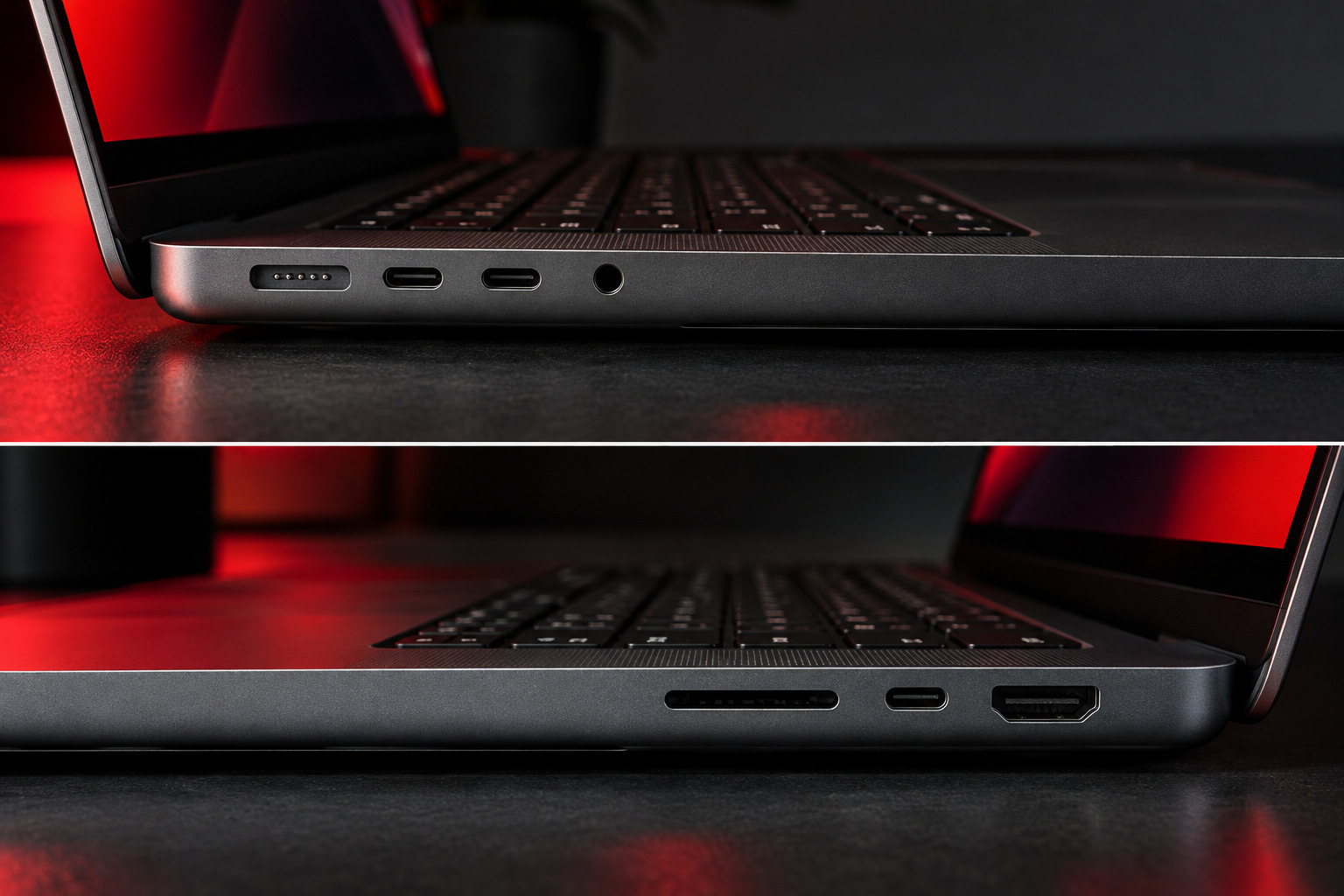
Would I complain if Apple added even more ports?
Of course not.
But I knew what I was buying.
I also use a USB-C hub that gives me extra USB-C, USB-A, and HDMI connectivity, so my desk setup isn't starved for connections.
This is one area where I don't have an angry dongle rant for you.
Sorry to disappoint.
Running three displays in my actual setup
Most of the time, I use the MacBook at my desk with two external displays.
The MacBook's built-in panel stays active, so I'm running three screens total.
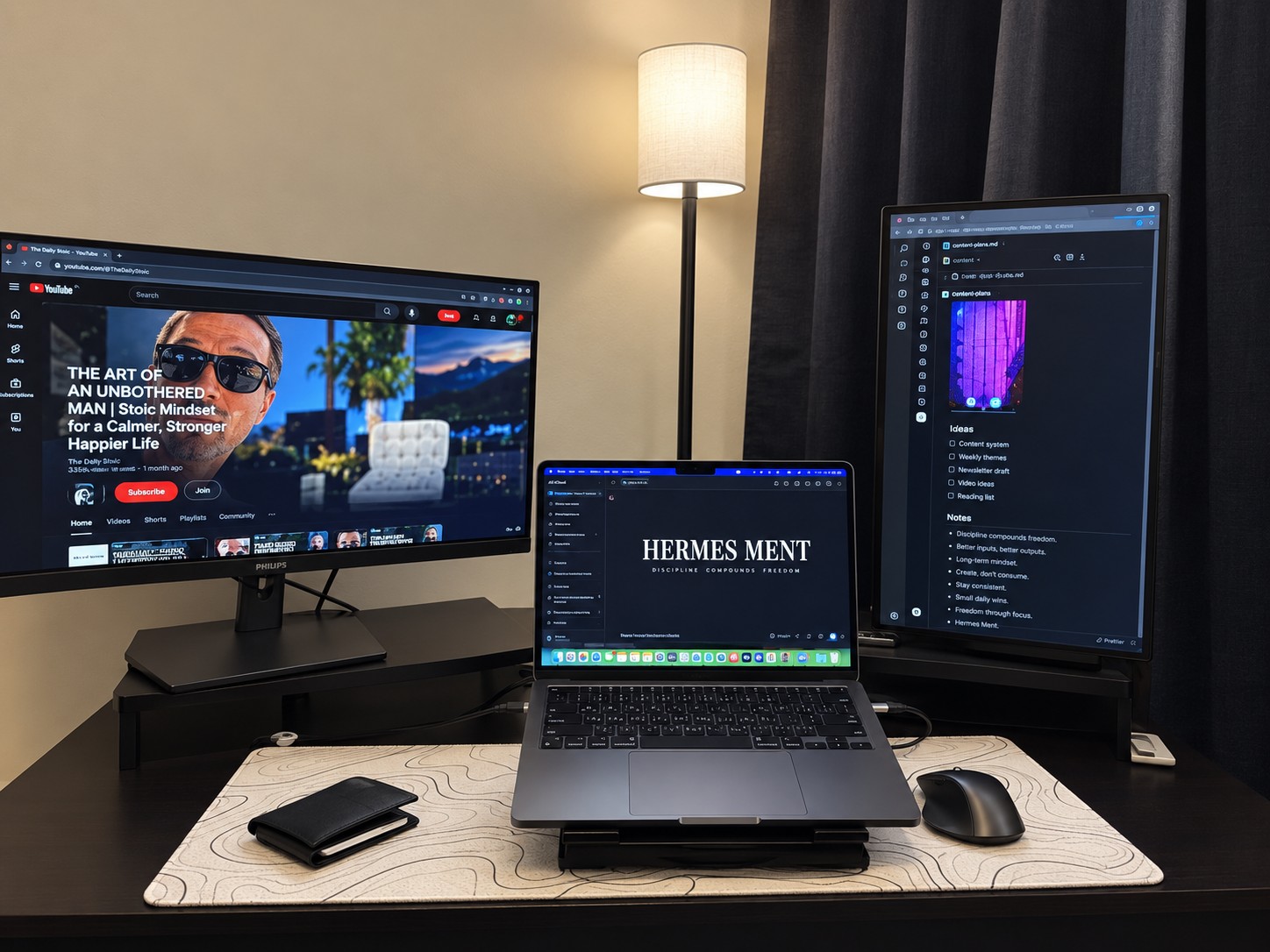
Hermes confirmed that setup during the workload inspection.
One external monitor was running at 1920 x 1080 at 75Hz. The other was positioned vertically at 1080 x 1920.
The vertical monitor has become particularly nice for keeping X visible while I work.
That's not some magical Mac-only feature, obviously. I just like the setup.
More importantly, the MacBook has handled the multi-display environment alongside my development workload without giving me grief.
Speakers, webcam, and microphone: Better than I expected
The speakers are phenomenal for a laptop.
Honestly, they sound better than any laptop I've personally used.
Apple uses a six-speaker sound system in this model, and whatever wizardry it's doing works.
The webcam has also been excellent for video calls and normal use.
Apple specifies a 12MP Center Stage camera. I'm not throwing away my dedicated cameras and filming all my YouTube videos on the MacBook now, but for meetings, calls, and everyday video, it's more than good enough.
The microphones have been similarly impressive.
These aren't the headline features that made me buy the machine, but they're part of why the MacBook feels so complete.
MacBook Pro vs. my Legion 9i: I'm not picking a fake winner
I still own my Lenovo Legion 9i, which I reviewed separately on TRT.
It has 32GB of system RAM, an RTX 4090 with 16GB of VRAM, a much larger display, and a completely different reason for existing.
It's a beast.
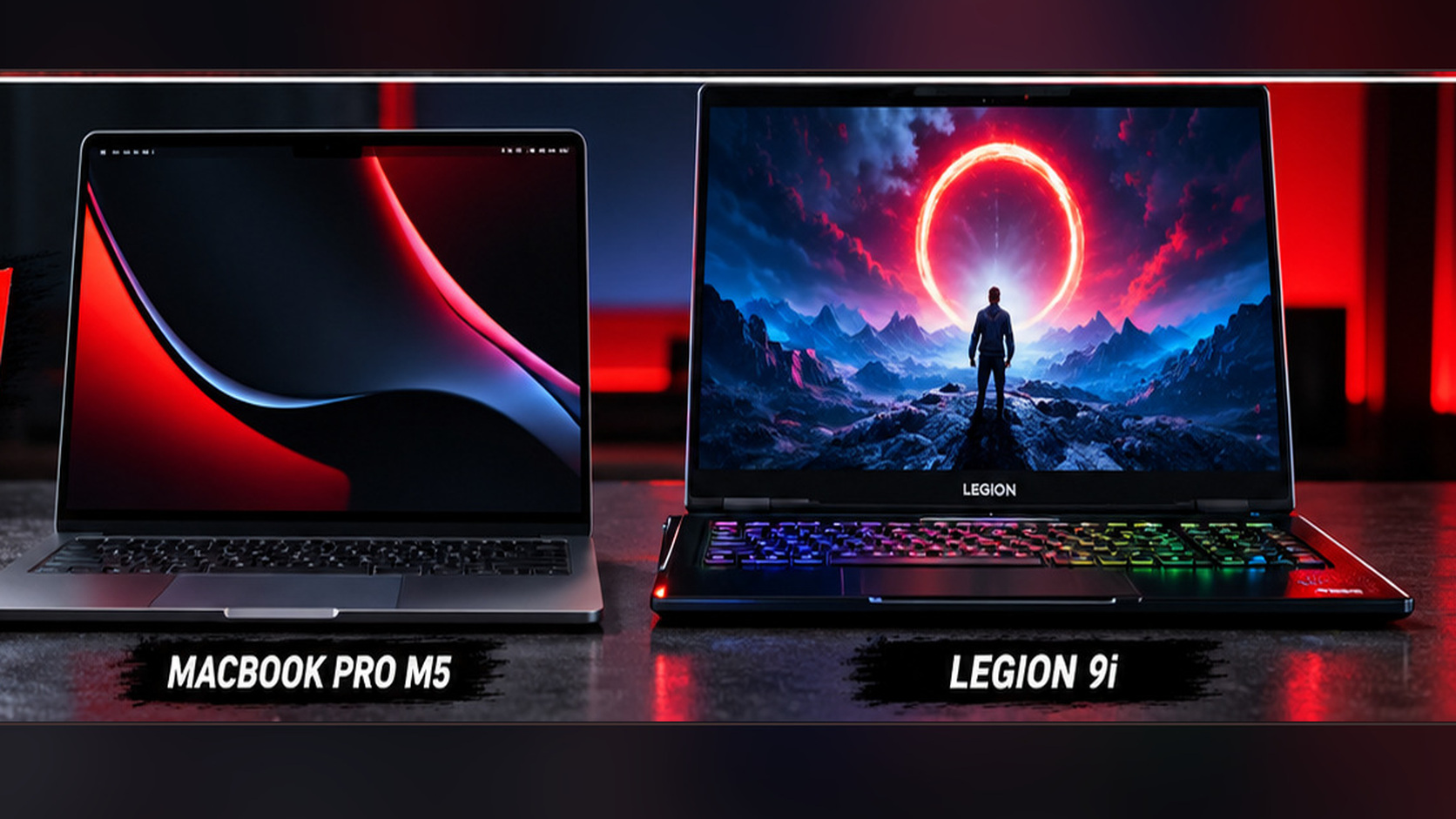
The Legion also costs considerably more than this MacBook.
So I'm not interested in doing the lazy "Mac vs. PC, WHO WINS?" thing here.
They're different machines.
If you're a Windows user who wants a monster laptop with an RTX 4090, the Legion is fantastic.
If you need macOS, Xcode, iOS development, excellent portability, and much better battery behavior, the MacBook Pro makes far more sense.
I still love the Legion.
I just haven't been using it as much lately because Hermes Fleet has kept me buried in the Apple side of the world.
Once I can shift more attention toward other development projects, the Legion will get plenty more work.
The biggest compliment I can give it: I bought another Mac
This was my first macOS device.
Within weeks, I ordered a Mac mini with 48GB of unified memory and a 1TB SSD.
That probably tells you more about my overall experience than any benchmark could.
The MacBook hasn't replaced everything else I own.
It doesn't need to.
Instead, macOS has earned a permanent spot in my workflow.
The MacBook Pro remains my portable development machine, and the higher-memory Mac mini is now available to take on more of the heavier desktop and local-AI workload.
I'll share how that split works after more hands-on testing with both machines.
What I liked and what you should know
There is a lot I like about this machine.
The build quality is excellent. The display is beautiful. macOS was far easier to adapt to than I expected. The keyboard and trackpad are great. The speakers are ridiculous for a laptop.
Most importantly, the system has been incredibly reliable.
I've been throwing real development work at it constantly, and so far I've had:
- zero crashes
- zero freezes
- zero major macOS problems
- zero hardware problems
That's not a promise about long-term reliability. I've only owned the machine for several weeks.
But it's a damn good start.
The biggest issue is the memory configuration.
My workload demonstrates that macOS can make 24GB go surprisingly far, but it also demonstrates how quickly a serious development environment can chew through it.
If you're planning to run larger local AI models, I'd strongly consider buying more unified memory if your budget allows.
I also wouldn't automatically choose the 14-inch model if you spend your life staring at tiny interface elements. The display itself is fantastic, but the physical size can feel cramped.
Who should buy the MacBook Pro M5?
I think this configuration makes the most sense for somebody who wants the overall MacBook Pro experience without necessarily needing an M5 Pro or M5 Max chip.
For development, everyday professional work, content creation, heavy multitasking, and general macOS use, the M5 has been far more capable than I expected.
If your workloads revolve around large local AI models, huge datasets, demanding professional GPU workloads, or anything else that devours memory, I'd pay very close attention to the unified-memory configuration.
Twenty-four gigabytes has worked for me.
It would not be my choice if money were unlimited.
If you're already deeply invested in Windows and don't need anything Apple-specific, I'm not going to tell you to sell everything and switch operating systems because I enjoyed my first Mac.
But if you've been curious about macOS the way I was?
The learning curve might be much smaller than you think.
Final verdict: Yeah, I'd buy it again
If you handed me my $2,199 back and asked whether I'd buy this exact MacBook Pro again, knowing what I know now?
Yes.
I would.
If you handed me more money, I'd buy more memory.
That's really the biggest caveat.
The M5 itself has not left me wishing for more performance during my normal development work. The MacBook has stayed smooth, stable, and responsive while doing far more than I expected to ask of it when I bought it.
The display is excellent.
The keyboard and trackpad are excellent.
The speakers are excellent.
Battery life under my heavy use is nowhere near Apple's headline number, but it's still dramatically more practical unplugged than my high-end Windows gaming laptop.
And the reliability has probably impressed me more than anything else.
I bought this Mac because I'd always wanted to try macOS.
A few weeks later, I'm building an iOS app on it around the clock and putting a second Mac to work.
So yeah.
I'd say the experiment worked.
TRT score: 4.8/5. The only thing keeping this from a perfect score for me is pricing, specifically what Apple charges while giving this configuration just 24GB of unified memory. I love the laptop. I do not love paying premium-laptop money and immediately being able to find the memory ceiling with local AI workloads.
Check current pricing: See the exact 24GB/1TB M5 MacBook Pro in Space Black on Amazon (paid link). Availability and pricing vary; this review reflects the $2,199 price I personally paid.
Reviewed & written by
Tony Simons
Tony has a bachelor's degree from the University of Phoenix and over 14 years of writing experience between multiple publications in the tech, photography, lifestyle, and deal industries.


