
ChatGPT Insights
ChatGPT Now Has a Spotify Wrapped-Style Year-End Recap
 By Tony Simons 5 min read
Disclosure: We may earn a commission when you shop through the links below. It never changes the verdict. Details

Disclosure
We may earn a commission when you shop through the links below. Opinions stay independent. Full disclosure
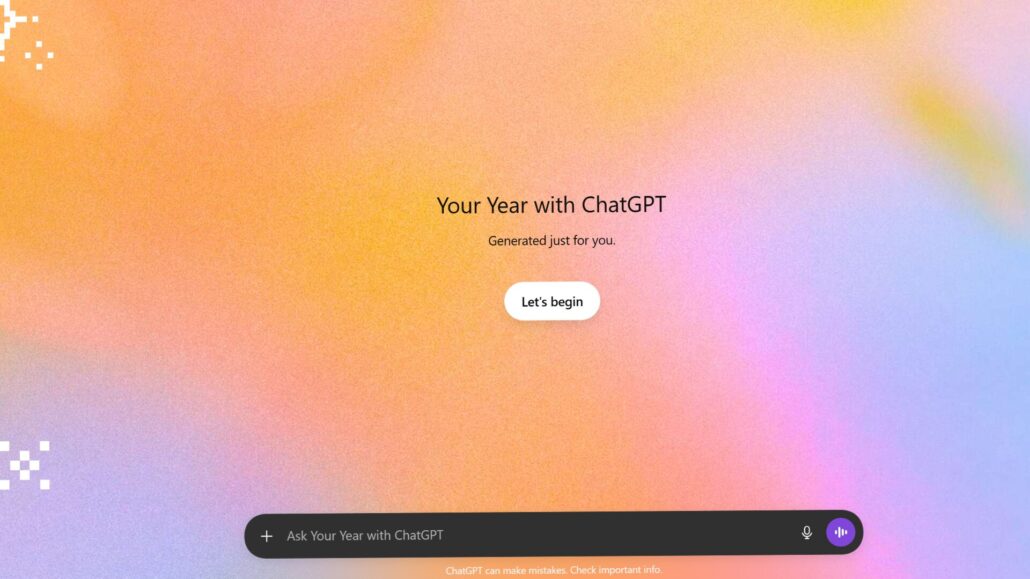
OpenAI just shipped a year-end “Wrapped” for ChatGPT. It’s called “Your Year with ChatGPT,” and it packages up a recap of how you used the service across 2025: the themes you leaned on, some usage stats, and a few shareable bits designed to be screenshot bait.
It’s optional, and it’s rolling out gradually.
ChatGPT Just Got a Wrapped-Style Year-End Recap
OpenAI’s “Your Year with ChatGPT” packages your 2025 usage into themes, stats, and shareable cards — and it only works if ChatGPT can reference your history.
- It’s Basically Spotify Wrapped: Expect a recap flow with themes, usage stats, goofy awards, plus a generated poem and image card built around your year.
- Eligibility Has a Big Asterisk: You’ll typically need Memory and Reference Chat History enabled (and enough usage). Business/Enterprise/Edu accounts aren’t part of this rollout.
- Shareable… And a Privacy Nudge: If you’re screenshotting your recap, double-check your data controls first — especially whether your chats are set to help improve the model.
The Need-To-Know
Who’s Eligible
At launch, “Your Year with ChatGPT” is aimed at Free, Plus, and Pro accounts (not Business/Enterprise/Edu) and limited by language/region.
There’s also an important requirement that’s easy to miss: you need Memory and Reference Chat History turned on. If you barely used ChatGPT this year, you might only see basic stats.
What’s In the Recap

The Recap Landing Screen
The “Your Year with ChatGPT” flow starts with a simple intro and a button to begin.

Personalized Poetry
One of the recap cards: a generated poem based on your year of chats.

Progress Summary Card
A recap slide that frames your year as milestones and momentum.

Usage Stats
The part everyone screenshots: your usage breakdown in tidy little numbers.

The “Awards” Bit
ChatGPT hands out playful badges based on how you used it.

Archetype Screen
A personality-style slide that tags your usage into an archetype.

Pixel Art Recap
A generated image card meant to be shared — because of course it is.

Archetype Recap
A quick summary slide that explains the archetype and what it means.
OpenAI is going for “fun” rather than forensic.
Expect:
- High-level themes from your chats
- Summary stats about your usage
- A handful of awards based on how you used ChatGPT
- A generated poem and image that try to reflect your year
Translation: it’s more “vibes” than “here’s every question you asked at 2:14 a.m.”
Here are some of my highlights:
Where It Shows Up
If you’re eligible, the recap should appear in ChatGPT on web and mobile during the rollout. In some cases you can also trigger it by asking ChatGPT for “Your Year with ChatGPT.”
How to Trigger It If You Don’t See It
Rollouts are messy, and “it’s not showing up for me” is the default state of software.
Try this:
- Update the ChatGPT app (iOS/Android)
- Refresh/relaunch ChatGPT on web
- Ask directly: “Show me Your Year with ChatGPT”
If you still don’t see it, you may not be eligible yet (or your account settings/usage don’t meet the requirements).
Privacy Reality Check
This recap doesn’t come from magic. It comes from ChatGPT being allowed to reference your past.
Memory and Chat History Power the Whole Thing
Two settings matter here:
- Reference saved memories (explicit “remember this” type info)
- Reference chat history (pulling context from past conversations)
If you want a recap, you’re opting into a more personalized ChatGPT experience. That’s fine. Just don’t do it accidentally.
The Training Toggle People Forget
Separate from Memory, there’s a data control that determines whether your chats may be used to help improve models.
If you’re the kind of person who wants the recap but doesn’t want your conversations feeding the broader machine, go find the toggle commonly labeled something like “Improve the model for everyone” and turn it off.
Temporary Chats if You Want Zero “Wrapped Energy”
If you want ChatGPT to behave more like a disposable tool — no history, no memories, no “remember when you said…” — use Temporary Chats. It’s the closest thing to “incognito mode” for AI conversations.
What This Means
On the surface, this is a harmless year-end gimmick. Underneath, it’s also a signal: OpenAI is leaning harder into consumer product habits like personalization, engagement, and shareable moments.
The difference is that your “Wrapped” here isn’t music taste. It’s your work, your research, your side projects, your weird questions, and the stuff you probably wouldn’t shout across a group chat.
So yeah, it’s cute. It’s also a reminder to treat ChatGPT like what it is: a tool that can be deeply useful, but only if you understand what you’ve enabled.
Tony’s Take
A ChatGPT Wrapped is funny until it’s a settings audit you didn’t know you needed.
The product is clearly splitting into two camps:
- People who want a personalized assistant and accept the tradeoffs
- People who want a “use it, toss it” chatbot with minimal retention
Both are legitimate. The problem is the middle group: users who don’t realize which mode they’re in until ChatGPT dredges up context they assumed was gone.
Enjoy the recap if you want. But before you post it, take 30 seconds and check what you’ve turned on.
What To Watch Next
- Whether OpenAI expands this beyond English and the current launch regions
- Whether OpenAI adds more granular controls (exclude specific chats, split work/personal, etc.)
- Whether more “shareable” features start showing up and what that does to expectations around privacy
The Inner Circle
Liked this? Get the next one first.
Honest reviews and practical tips, one useful email a week.
- New verdicts and scores
- Same-day workflow tips
- No spam, unsubscribe anytime
Written by
Tony Simons
Tony has a bachelor's degree from the University of Phoenix and over 14 years of writing experience between multiple publications in the tech, photography, lifestyle, and deal industries.