
AI News
Zide brings code, Git, and AI agents into one desktop app
 By Tony Simons 4 min read
Disclosure: We may earn a commission when you shop through the links below. It never changes the verdict. Details

Disclosure
We may earn a commission when you shop through the links below. Opinions stay independent. Full disclosure
Most of us running AI coding agents still live in five windows. A real AI development workspace should fix that: issue in the browser, diff in the editor, terminal elsewhere, agent chat blind to every other tool.
That’s the pitch behind Zide, a new native desktop app that just opened its public beta. The company wants to collapse all of it into what it calls an agentic desktop, one window where the whole workflow lives together.
Zide announced its public beta on August 24, 2026, and it is available to download for macOS, Windows, and Linux from zide.dev.
The pitch is simple. Projects, issues, git, pull requests, CI runs, terminals, and an AI assistant called Zide Assist all share one workspace and one context.
Instead of re-explaining your repo to a chat window every time you switch tools, you get an agent that already sees the issue you’re working from, the files you’ve changed, and the CI run you’re waiting on.
Founder Jim Bourke put it plainly in the launch announcement: “Developers shouldn’t have to re-explain themselves to a new AI agent every time they switch apps.”
That framing matches where agentic development actually hurts right now. The model writes the code fine. The friction is everything around it: reviewing diffs, guiding the agent, keeping tests green, deciding what ships.
What this AI development workspace actually does
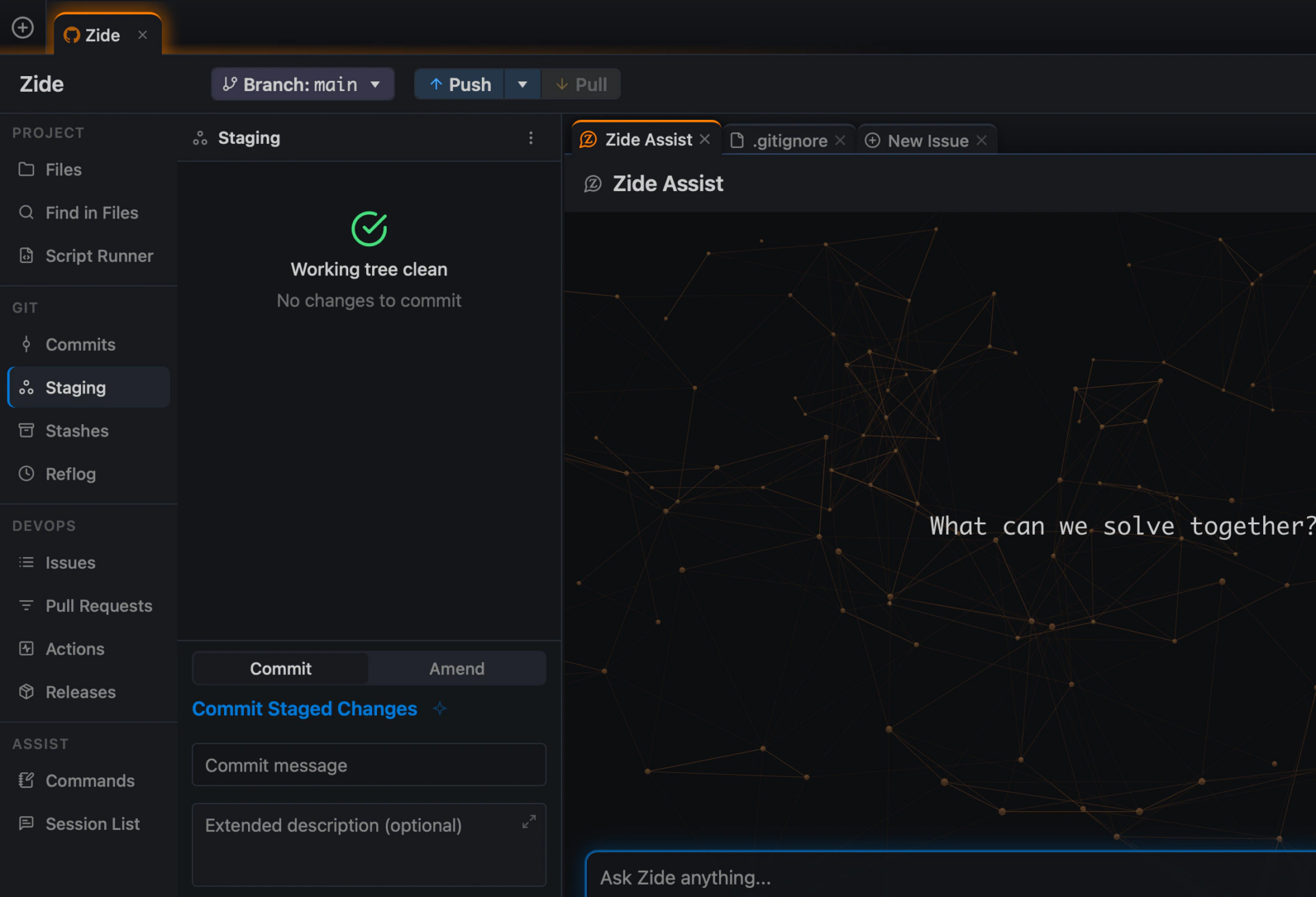
Zide Assist works directly with your projects, files, git history, and terminals. It reads files, proposes changes as reviewable diffs, and runs commands while knowing which repository it’s in.
Changes come back as diffs you approve, not edits that silently land in your working tree. There’s also a feature called Crosscheck, which lets one model do the work and a second model automatically review the result before you ever look at it.
That second-model idea is worth pausing on. Reviewing agent output mostly means squinting at a diff and hoping the tests catch what you missed. Having the app run an independent reviewer over the change before it reaches you is one of those features that sounds obvious once someone builds it.
The app supports GitHub, GitLab, and Bitbucket, so teams aren’t locked into one repository host. It’s built with Tauri and Rust rather than wrapped in Electron or a browser shell, which matters if you jump between large multi-repo codebases all day.
A QuickTree shortcut (Ctrl+Enter) spins up a git worktree and opens a fresh agent session, which fits the parallel-workflow style most agent users have settled into by now. For anyone juggling three agents across three branches in one afternoon, a purpose-built AI development workspace starts to sound less like a luxury.
Model choice is the other big hook for this AI development workspace. Zide Assist isn’t tied to one provider: it works across Claude, Codex, Gemini, and DeepSeek.
There’s bring-your-own-key support including OpenRouter, plus compatible local models on your own hardware. If you already pay for model subscriptions elsewhere, you can plug them in instead of buying credits inside yet another app.
Pricing and what to watch
Pricing starts free with access to public repositories. Paid plans add unlimited private repositories, monthly Zide Assist credits, broader model access, and DevOps features across all three supported hosts.
There’s an unusual wrinkle: eligible users who stay on a paid plan for 12 continuous months earn a perpetual license. In a market where everyone is racing to monthly subscriptions, promising you can eventually own the tool is a notable signal about who they think their customer is.
It’s also a gamble on retention. A perpetual license only matters if the tool is still good in a year, so the company is effectively betting its pricing model that developers who try the beta will want to stay. If the beta is rough, that promise won’t mean much.
Keep expectations calibrated: this is day one of a public beta, not a finished product, and early users will shape what comes next. I haven’t run this AI development workspace hands-on yet; this is coverage of the announcement, and I’d want real repo time before calling it a replacement for anything.
But the shape of the bet is interesting. Our roundup of the best AI coding agents shows how fast this category moves, and most of those tools still treat the issue tracker and the terminal as someone else’s problem.
I covered a similar convergence story when ChatGPT’s work agent launched: everyone is racing to own the whole workflow, not just the chat box. If Zide can make the whole workflow visible in one place without getting in the way, it addresses the actual bottleneck in agent-assisted development, which stopped being code generation a while ago.
You can download the beta and read the plan details at zide.dev. If you try it before I do, tell me what breaks.
The Inner Circle
Liked this? Get the next one first.
Honest reviews and practical tips, one useful email a week.
- New verdicts and scores
- Same-day workflow tips
- No spam, unsubscribe anytime
Written by
Tony Simons
Tony has a bachelor's degree from the University of Phoenix and over 14 years of writing experience between multiple publications in the tech, photography, lifestyle, and deal industries.
Hi Tony,
Thank you for covering Zide’s public beta. You did an excellent job capturing what we are building, particularly the challenge of managing agents, repositories, terminals, diffs, and CI across disconnected tools.
I noticed that you have not had an opportunity to test Zide hands-on yet. We would be happy to help you get set up and give you direct access to the team if you would like to try it with a real repository.
We are not looking to influence your opinion. We would genuinely value your independent feedback, including what works, what feels rough, and what you think still needs improvement during the beta.
You can download Zide here: https://zide.dev/download
If helpful, we can also arrange a short walkthrough with our founder, Jim Bourke, or provide any additional product information you need.
Thank you again for taking the time to cover Zide.
Best,
Laura Bal
Digital Marketing Consultant
Zide Software
https://zide.dev