
ChatGPT Image 1.5 Is A Precise Creative Partner, But It’s Not Nano Banana Pro
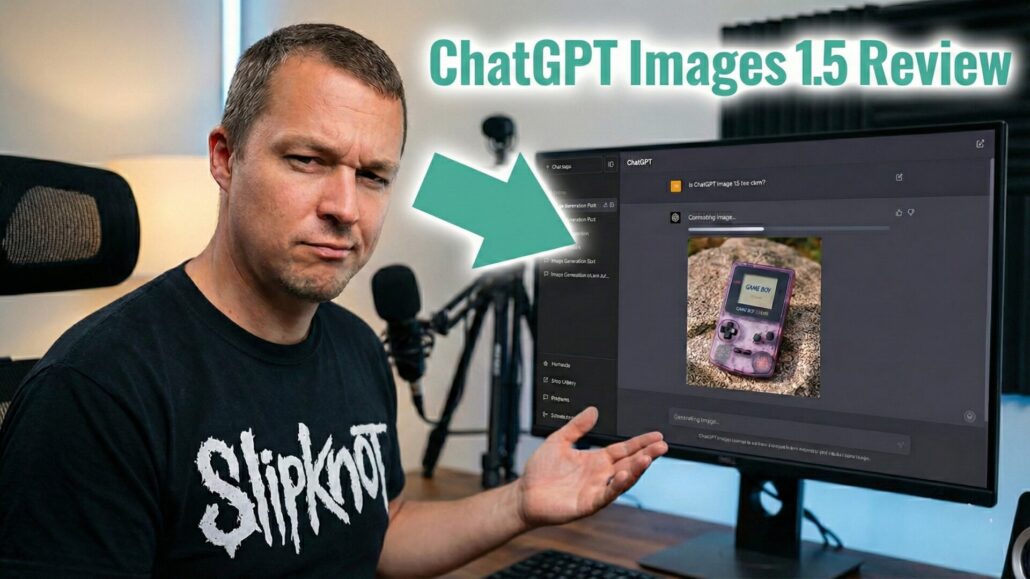
OpenAI’s answer to Nano Banana Pro is smarter, sharper, and finally knows how to spell. But is accuracy worth the wait?
For the last few months, the generative AI world has felt a bit lopsided. While OpenAI was busy refining its reasoning models, Google’s Gemini 3—and specifically its “Nano Banana” image model—has been eating everyone’s lunch with blistering speeds and hyper-realistic visuals. The silence from OpenAI was deafening, rumored internally to be a “code red” situation.
That silence broke on December 16, 2025, with the launch of GPT Image 1.5.
Available now to ChatGPT users and via API, this isn’t just a patch; it is OpenAI’s flagship attempt to turn AI image generation from a slot machine into a professional design studio. I have spent the last 24 hours pushing this model to its breaking point—generating neon signs, translucent 90s tech, and legal nightmares involving Nintendo characters—to see if it’s actually an upgrade or just a catch-up.
Here is what I found.
ChatGPT Image 1.5
OpenAI finally answers Google with a model that can spell, edit, and remember your prompts—if you have the patience to wait for it.
- +Perfect Spelling: Renders text like “Tony Reviews Things” flawlessly.
- +Object Consistency: Remembers hardware details across multiple prompts.
- +Editing Magic: Inpainting (swapping backgrounds) works without breaking the subject.
- +Brand Safe: Allows celebrities (Musk) and Brands (Coke) but blocks Cartoons.
- –Sluggish Speed: Takes ~60s vs. Nano Banana’s 15s.
- –Heavy Files: Outputs 2MB PNGs that need converting for web use.
- –Aspect Ratio: Struggles with precise vertical/horizontal cropping.
Quality and Realism
I started with the basics. OpenAI claims this model is up to four times faster and significantly better at photorealism. To test this, I fed it the most boring prompt imaginable: “A shiny red apple on a wooden table.”
The result was technically flawless. The lighting was photorealistic, the reflections were believable, and it lacked that plastic, oversaturated sheen that plagued DALL-E 3. I moved on to the “Cat Test”—a black cat sleeping on laundry. This is usually where generators fail, turning fur into blurry mush. GPT Image 1.5 nailed the backlit, strand-by-strand texture of the fur and even got the terry cloth texture of the laundry right.
There is also a notable absence of the infamous “yellow tint” or “urine filter” that gave previous ChatGPT images a distinct, sickly cast. The color grading finally feels neutral and grounded in reality.


It Actually Listens
The biggest frustration with AI images has always been the “re-roll” problem. You ask for a change, and the AI hallucinates an entirely new image. GPT Image 1.5 changes that.
I tested this by generating a translucent teal “dumb phone” with a slide-out keyboard. When I asked for a person holding that exact device, the model actually remembered the hardware design. Later, I tested inpainting by swapping a brick wall background for wood paneling behind a neon sign. The text on the sign stayed perfect, and the lighting adjusted naturally. The edit felt like magic.
According to benchmark tests, this model has a 90% compliance rate for steerability. It feels less like I am gambling with a prompt and more like I am directing a junior designer who actually takes notes.
No More Gibberish
If you have ever tried to get an AI to write a sign, you know the pain of getting “HAPPPY BIRTHDAY” written in alien hieroglyphics.
I challenged GPT Image 1.5 to generate a neon sign reading “Tony Reviews Things.” It nailed it. Perfect spelling, clean typography, and a stylistic split between cursive and block lettering. For creators making thumbnails, blog headers, or social assets, this is the difference between a toy and a tool.
The Speed Trap
Here is where the “Pro” label starts to crack. OpenAI promised speed, and while this model is faster than its predecessor, it is still sluggish compared to the competition.
My simple apple generation took nearly a full minute. A complex edit took about 45 seconds. In isolation, that sounds fine. But compared to Google’s Nano Banana Pro, which spits out high-fidelity images in 10 to 15 seconds, ChatGPT feels like it’s moving through molasses.
If you are trying to batch-create assets or iterate quickly, that friction adds up. The wait time feels like a luxury tax for the increased precision.
The Fun Police: Copyright and Safety
I probed the safety filters to see where OpenAI draws the line, and the results were a mix of surprisingly loose and aggressively strict.
- Passed: Elon Musk eating a hot dog. The model generated a realistic likeness without lecturing me on public figures.
- Passed: A Coca-Cola can. It rendered the logo perfectly, which is a huge deal for commercial mockups.
- Failed: Super Mario. Both with the name Super Mario and then again when I didn’t even use the name—I just described a “short Italian plumber with a red hat.” The model refused immediately. You cannot trick it into generating Disney or Nintendo IP.
It seems OpenAI has adopted a “Commercial Safe, Cartoon Safe” philosophy. Real brands and people are fair game for satire or mockups, but the Mouse is off-limits.
The Verdict: A Studio, Not a Slot Machine
So, is GPT Image 1.5 the new king? It’s complicated.
If you want pure speed and unrestricted creativity, Google’s Nano Banana Pro is still the reigning champion. It is faster, generates higher resolution (up to 4K), and feels more candid.
However, GPT Image 1.5 is the better tool for control. The dedicated Images tab, the ability to edit specific elements without breaking the rest of the image, and the superior text rendering make it a powerhouse for professional workflows. It feels less like a magic wand and more like a production studio.
I also have to mention the technical annoyances. The model outputs heavy 2MB PNGs that need converting before web use, and the aspect ratio controls still feel like rolling dice compared to other tools.
OpenAI has built a model that listens to you, remembers your instructions, and spells your words correctly. If you are willing to wait 45 seconds for that privilege, it’s a game-changer. But if you feel the need for speed, you might still find yourself reaching for the Banana.








Leave a Reply
Want to join the discussion?Feel free to contribute!