The New ChatGPT Images Is Faster And Way Better At Editing
ChatGPT Images 1.5 Is Here
OpenAI’s new ChatGPT image model promises faster generations and more reliable edit, but early ratio control is still messy if you need exact 16:9.
- Speed Boost: OpenAI claims the new model can generate images up to 4× faster, which matters when you’re iterating.
- Editing Is The Point: The pitch is more consistent edits, change what you asked for while keeping lighting, composition, and faces from drifting.
- New “Images” Hub + API: ChatGPT gets a dedicated Images space, and the model is available to devs as `gpt-image-1.5`.
What Went Down
On December 16, 2025, OpenAI announced a new version of ChatGPT Images backed by a new “flagship” image model, GPT Image 1.5. It’s rolling out to ChatGPT users globally, and developers can use it in the API as gpt-image-1.5.
The Stuff You Need To Know
Faster generation, stronger “do what I meant” behavior
OpenAI says the new system generates images up to four times faster than before, and it’s better at following instructions. Especially when you’re iterating on edits.
Editing is the real headline
OpenAI’s pitch is basically: you shouldn’t have to play prompt-whack-a-mole just to remove a glare spot or swap a background.
The updated model is designed to make precise edits to an uploaded image while keeping the stuff you didn’t ask to change consistent. Things like lighting, composition, and a person’s appearance.
It also calls out multiple edit “modes,” including adding, subtracting, combining, blending, and transposing elements.
OpenAI leans into “try-on” style edits, too. claiming more believable clothing and hairstyle changes than prior versions.
Better text rendering (yes, actually)
OpenAI says GPT Image 1.5 takes another step forward on text rendering, including handling denser and smaller text. That matters for anything remotely useful: menus, labels, mock ads, UI comps, and infographics.
A new Images space inside ChatGPT
Alongside the model update, OpenAI is adding a dedicated Images area in ChatGPT (sidebar on web and mobile) with preset filters and prompts, updated regularly to match trends.
One eyebrow-raiser: OpenAI says this Images experience can include a one-time likeness upload so you can reuse your appearance across creations without digging through your camera roll.
GPT Image 1.5 in the API (and what devs should know)
OpenAI is making the model available in its Image API, alongside gpt-image-1 and gpt-image-1-mini.
A few details that matter if you ship this stuff:
- OpenAI says image inputs and outputs are 20% cheaper in GPT Image 1.5 compared to GPT Image 1.
- Not every workflow gets the new model immediately. Support can vary depending on which API path you’re using.
- DALL·E 2 and DALL·E 3 are deprecated and scheduled to stop being supported on May 12, 2026. If you’ve got legacy integrations, that date is now your problem.
Why You Should Care
This is OpenAI trying to drag AI images out of “look what I made” novelty and into “I can actually use this” territory.
If GPT Image 1.5 really does what OpenAI claims — consistent edits, better text, less drift across iterations — it hits the biggest daily frustration with image generators: you ask for one change, and the model “helpfully” rewrites the entire universe.
It’s also a competitive move. Image generation is in full-blown arms race mode right now, and the “useful editing” angle is a smart way to differentiate from models that mostly win on vibes.
Tony’s Take
If you’ve ever tried to do real edits with an AI image tool, like “remove the reflection, keep the lighting, don’t change my face into a stranger” , you already know why this update matters more than another “hyperreal cinematic masterpiece” demo.
The one thing I’m side-eyeing is the one-time likeness upload feature. Cool for creators, sure. But any feature that encourages people to upload identity data deserves extremely clear controls, visibility, and defaults. OpenAI’s post doesn’t get into those details here, so I’m not giving it a free pass.
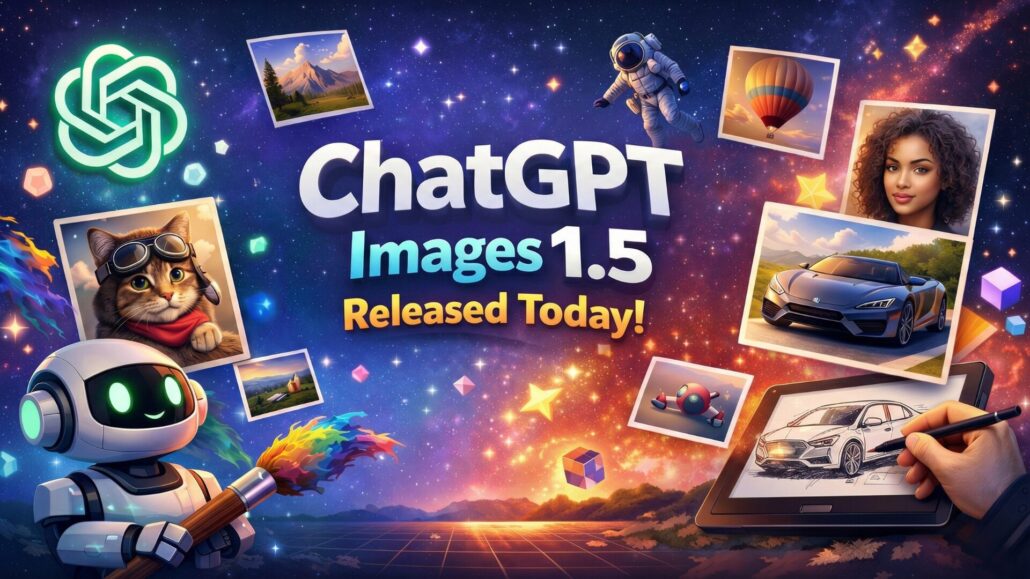
I’ve only made one image with it so far: the hero graphic at the top of this post. And yeah, it looks impressive. The lighting, the little details, the overall “this is a real promo banner” vibe: it’s doing the thing.
But here’s the annoying part: I asked for a 16:9 aspect ratio and it didn’t come out in the ratio I wanted. I tried to reprompt it and even asked it to edit the image into the correct framing, and that didn’t work either. Ironically, I took the same problem into Nano Banana Pro and it fixed the ratio immediately.
So, sure, the output quality is there. But if ChatGPT Images can’t reliably hit exact aspect ratios (or easily reframe to them), that’s a real bummer for anyone making thumbnails, headers, YouTube art, or basically anything that has to fit a box.
What To Watch Next
- How fast “4× faster” feels in practice when the service is slammed.
- Whether the new model actually reduces edit drift across multiple iterations (the thing that ruins most serious workflows).
- How quickly OpenAI expands support for
gpt-image-1.5across all the API surfaces developers rely on. - The impact of the May 12, 2026 DALL·E cutoff on third-party apps that never migrated.







Leave a Reply
Want to join the discussion?Feel free to contribute!