
AI & Software · Tutorial
How to Check a Hermes Marketplace Plugin Before You Install It
Find Hermes Marketplace plugins, inspect disclosures and source, and check where your data goes before installing.
 By Tony Simons 5 min read
Disclosure: We may earn a commission when you shop through the links below. It never changes the verdict. Details
Disclosure
We may earn a commission when you shop through the links below. Opinions stay independent. Full disclosure
A plugin can give Hermes Agent a useful new tool—or a new way to send your data somewhere you did not expect. The Hermes Marketplace makes both the possibilities and some of those tradeoffs easier to inspect before you install anything.
Quick answer: open the Marketplace, choose Plugins or Skills, search for a job, and open a result. Check its author, disclosure, source, requirements and installation instructions. Treat the listing as a starting point for review, not a guarantee that the extension is right for your setup.
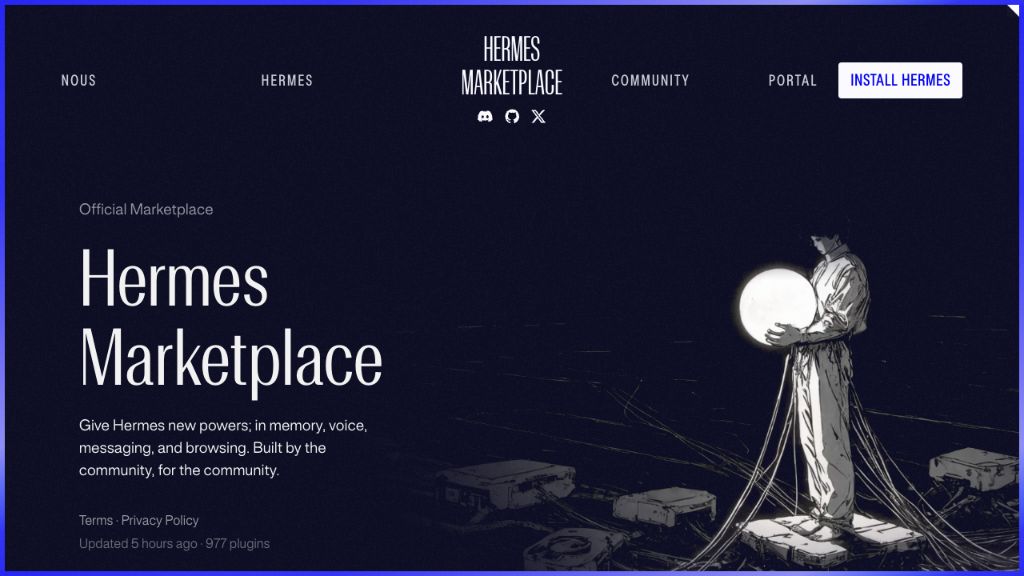
Featured image: the Hermes Marketplace homepage by Nous Research, captured firsthand.
For this guide, we searched the live Marketplace, switched from Skills to Plugins and opened the mem0 listing. We inspected the listing and its disclosure; we did not install or run the plugin. The examples describe the catalog as observed on November 5, 2026. Labels and listings can change.
Skills and plugins: pick the right shelf
A skill is a reusable set of instructions that Hermes can load for a task. Plugins can extend Hermes with capabilities such as tools, hooks or desktop functionality; individual packages differ. In the Marketplace, use the Plugins or Skills filter to narrow the results, or All to browse both. A skill that tells an agent how to work and a plugin that adds executable code are different decisions.
Already using Hermes? Our guide to automating a workflow explains how skills, memory and scheduled tasks fit together: https://www.tonyreviewsthings.com/how-to-automate-workflow-hermes-agent/. For the official details, see the Hermes skills documentation (https://hermes-agent.nousresearch.com/docs/user-guide/features/skills) and plugin documentation (https://hermes-agent.nousresearch.com/docs/user-guide/features/plugins).
Find a candidate and open its details
- Open the Hermes Marketplace at https://hermes-agent.nousresearch.com/marketplace. Select Plugins or Skills under Kind.
- Search for the job you want done. We searched for “memory,” then selected Plugins; the results changed to memory-related plugins. Use the category and source filters to narrow the list further.
- Open the result itself to read its detail page. In our example, the mem0 page shows the maintainer, a description, a disclosure, the README, a Source link and installation options. Those fields give you more to assess than the short result card alone.
- Read the disclosure and README together. For example, the mem0 listing says conversation turns and recall queries go to the configured backend, and identifies additional telemetry and local setup considerations. Its README describes cloud, self-hosted and local modes. Which services receive data depends on the configuration you choose; “local mode” is not a substitute for reading those details.
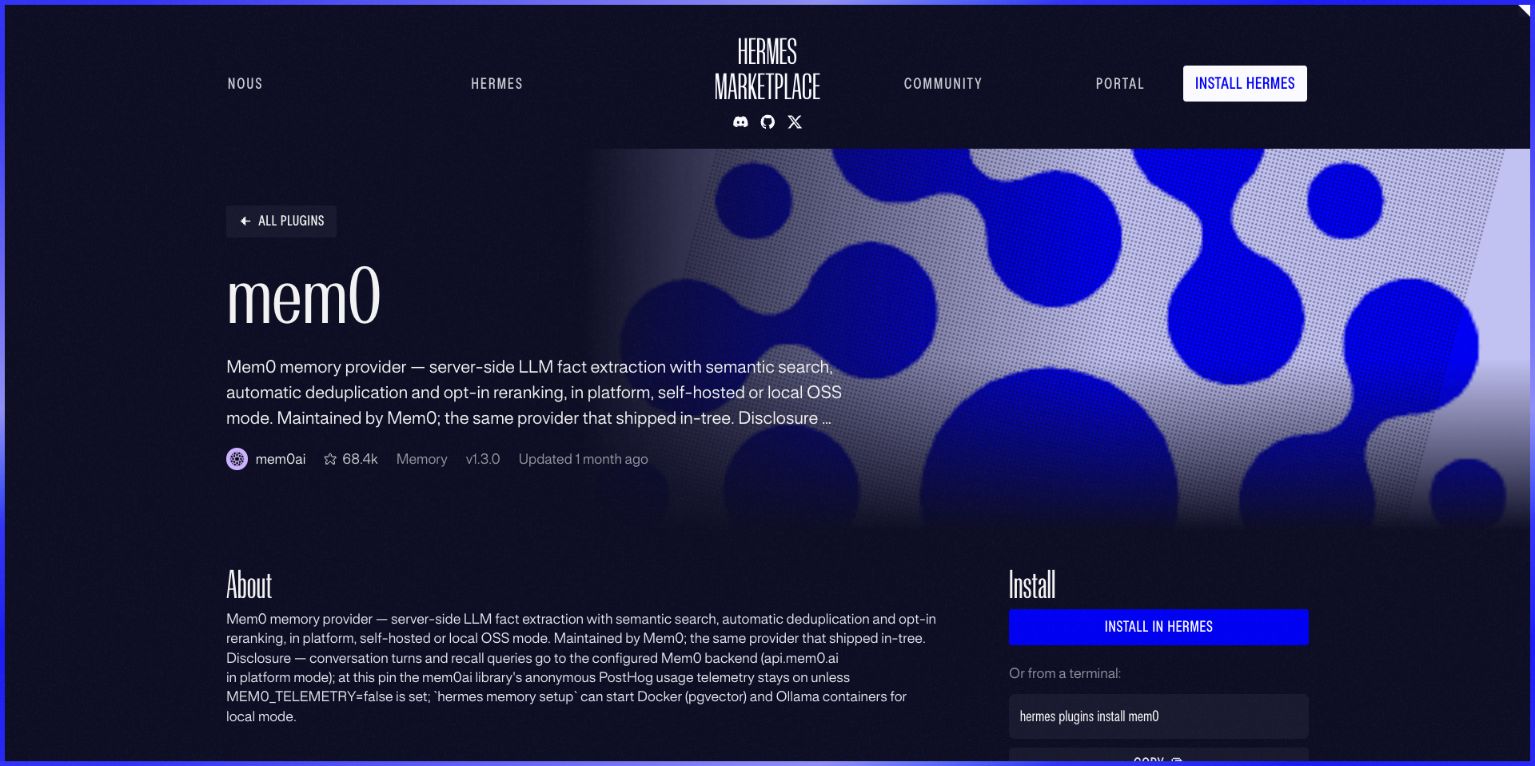
The marketplace listing is an example, not a recommendation or an endorsement of mem0. Other plugins have different capabilities, dependencies and data flows.
A five-minute review before installing
- Who maintains it? Check the named author and follow Source to the repository. Official and Community labels tell you how the catalog categorizes an entry; neither proves a particular plugin is appropriate for your data or environment.
- What leaves your machine? Look for disclosures about prompts, conversation history, files, telemetry and configured endpoints. If the answer is unclear, pause and inspect the source or maintainer documentation.
- What can it do? Look for filesystem access, network requests, commands, integrations and declared capabilities. A plugin can run code; an appealing description is not a permission boundary.
- What does it need? Check compatible versions, separate services, dependencies, credentials and potential costs. A package can be free while a connected service charges for usage.
- How will you reverse the change? Know which profile or machine you are changing, whether the plugin needs activation or setup, and how you will disable or remove it. Removing a plugin does not by itself establish that a third-party service has deleted data it already received.
The source and reviewed revision matter too. Hermes documents that a catalog plugin name resolves to a reviewed pinned commit, while an arbitrary Git install is a separate path. A pinned revision helps identify code; it is not proof that the code is harmless. See the official CLI reference: https://hermes-agent.nousresearch.com/docs/reference/cli-commands.
Install only after review—and verify the right host
The example page offers an Install in Hermes link and the terminal command hermes plugins install mem0. Use the command shown on the current listing for your chosen plugin; do not copy this example unless it is the plugin you intend to install. Hermes documents that its Desktop catalog link opens the reviewed entry dialog. Read what it requests and confirm the target before proceeding. We did not test that install dialog, the CLI command, or the plugin itself for this guide.
An installed plugin may need enabling or additional configuration. Follow the current plugin instructions, inspect requested capabilities, and test with a harmless task and non-sensitive sample data. Check the actual output and the intended profile or machine before relying on it. The Hermes plugin documentation describes hermes plugins enable <name> and hermes plugins disable <name>; consult the current docs for your version and plugin type.
If the button does not open the app, check whether Hermes Desktop is installed and whether the link is being opened on the machine where it is registered. If a result is missing, switch the Kind filter or clear the search. If the README and catalog description disagree, stop and verify the version and source before installing.
The useful habit is simple: search by the job, inspect the listing, trace where data goes, and verify the result. A marketplace saves you discovery time; the review is still yours.
The Inner Circle
One AI shortcut a week. Tested first.
The tools and tricks I actually kept using, sent once a week. Skip the hype threads.
- New verdicts and scores
- Same-day workflow tips
- No spam, unsubscribe anytime
Written by
Tony Simons
Tony has a bachelor's degree from the University of Phoenix and over 14 years of writing experience between multiple publications in the tech, photography, lifestyle, and deal industries.


