AI & Software · Tutorial
How to Find an Old Version of a Website With the Wayback Machine
Search the Wayback Machine for a saved page, check its capture date, and share the archived version.
 By Tony Simons 4 min read
Disclosure: We may earn a commission when you shop through the links below. It never changes the verdict. Details
Disclosure
We may earn a commission when you shop through the links below. Opinions stay independent. Full disclosure
Websites change. Articles move, homepages get redesigned, and sometimes the page you bookmarked disappears altogether. The Internet Archive’s Wayback Machine can show you an earlier capture—if that particular page was saved.
Quick answer: Go to the Wayback Machine, enter a site or page URL, and use the timeline and calendar to open a saved date. Once the archived page loads, copy its Wayback address to reference that capture.
For this guide, we searched the Tony Reviews Things homepage, inspected its calendar, and opened the July 7, 2026 capture. We did not create a new archive or test every link on the saved page. Availability and the look of a capture can change.
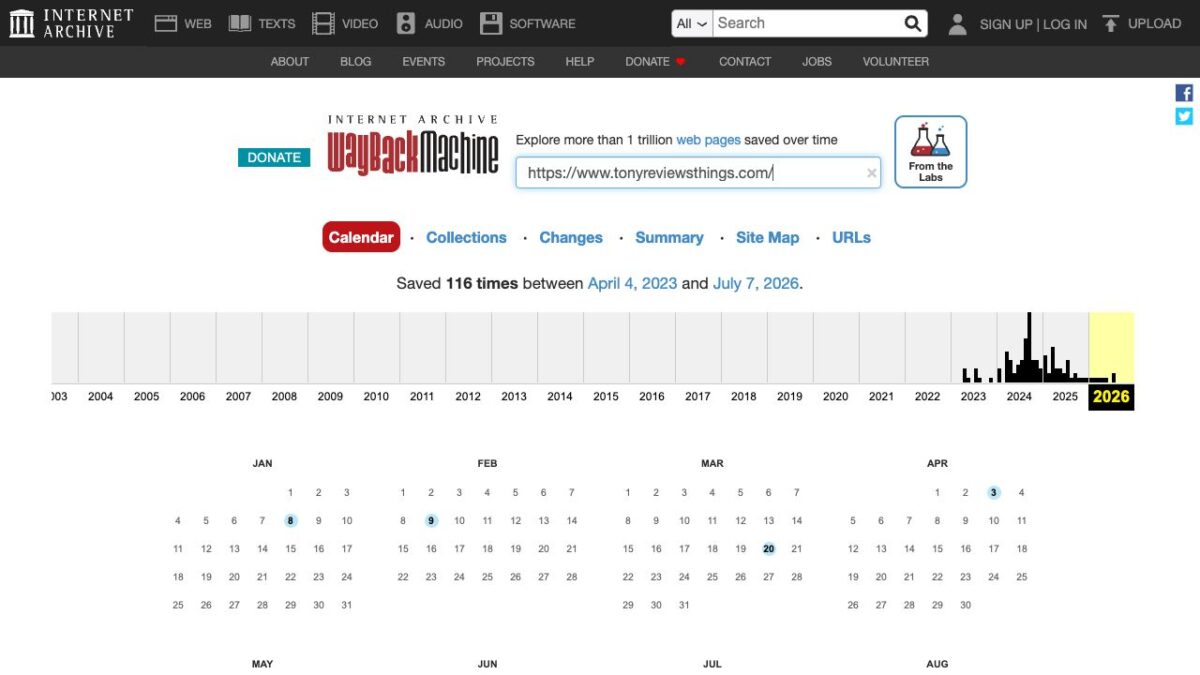
Featured image: the Wayback Machine calendar by the Internet Archive, captured firsthand.
Find an earlier version of a page
- Open web.archive.org. In the main Wayback search field, enter the full address you want to investigate. Start with the exact page URL if you have it; use the site’s homepage if you are looking for its older design.
- Submit the search. If captures are available, the results show a timeline of years and a calendar. Choose a year in the timeline, then look for dates marked on the calendar.
- Choose a marked day and select a capture time if offered. The archived page should open. In our test, the calendar also provided a direct link to the latest listed capture, which opened the saved TRT homepage.
- Check the archived address and date. You are looking at a capture made at a point in time; the calendar counts crawls, not every time the site changed.
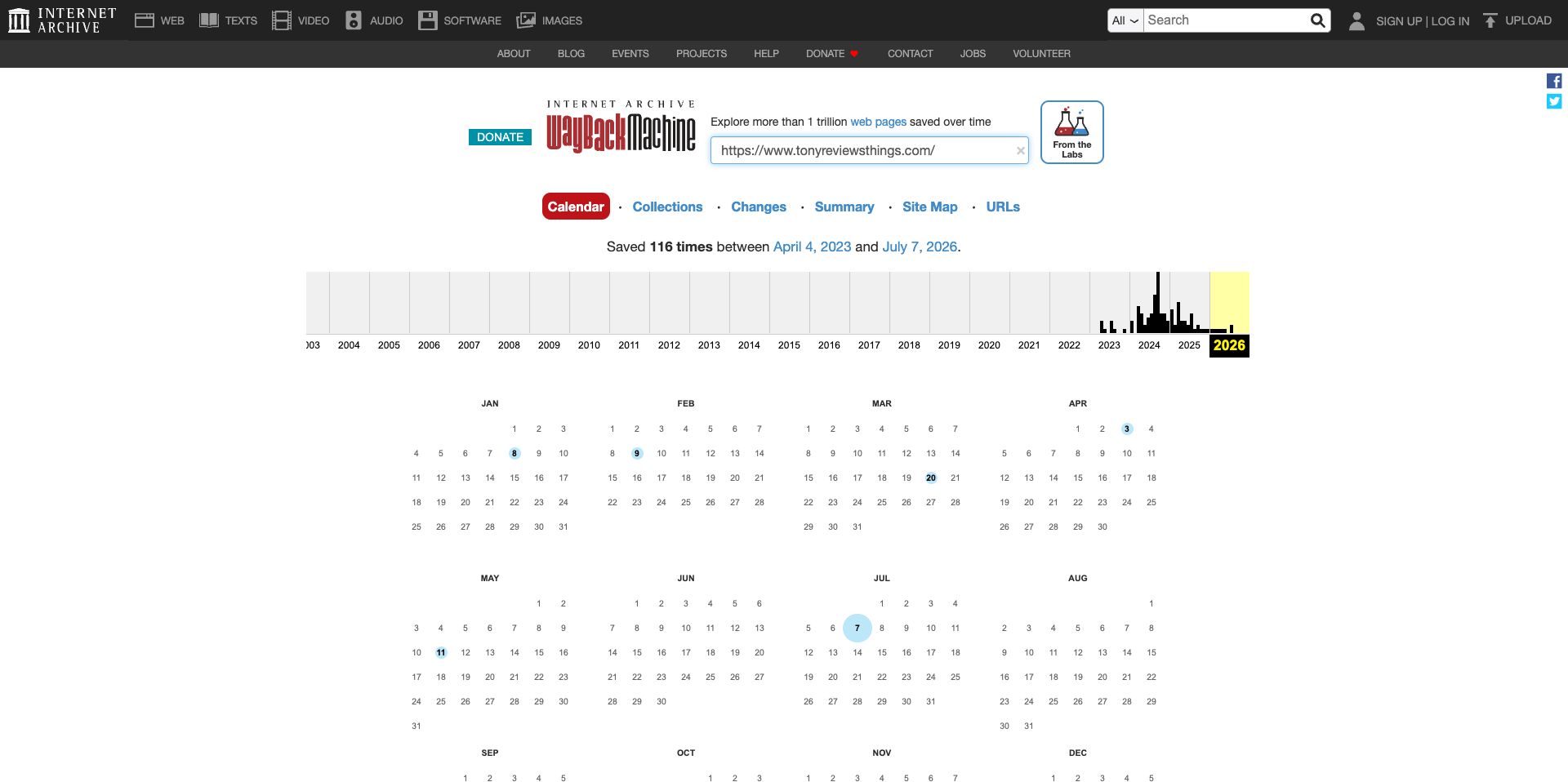
For example, our search showed captures of the TRT homepage dating back to 2023. That tells you the archive has some snapshots, not that it has every article, image or update from those years.
Share the capture you actually mean
After the archived page opens, copy its Wayback URL from the browser’s address bar. The address contains the archived site’s URL and a timestamp. The Internet Archive says archived pages can be linked and referenced in its Wayback help guide.
If you are using a capture as evidence, note its date and check that the relevant text or image actually appears. A capture date shows when the archive recorded a page; it does not by itself establish when the page was originally published or changed. For a specific article, search for that article’s URL rather than assuming a saved homepage includes the article itself.
When the page is missing or broken
- No captures found: Check spelling, the exact path and whether you searched the intended domain. The Archive says some pages were never captured, were inaccessible to crawlers, or were excluded. A blank result does not prove a page never existed.
- Images or features are missing: Try another saved date. The Archive explains that missing images may not have been saved and that interactive features can fail when they depend on the original server.
- The capture is close but not right: Try another marked date and inspect the result. A page may have changed between captures, and an archived link can lead to a different capture.
- You need a site backup: Keep your own complete, tested backups. The Archive says it cannot guarantee a site was archived and does not offer its Wayback collection as a general backup service.
What about saving a page now?
The Wayback homepage has a Save Page Now tool for submitting a page. The Internet Archive’s help page describes it as a one-time capture of a specific page, not an automatic future crawl or a backup of the entire site. We did not submit a page for this guide. Only submit a URL you intend to make available through a public archive, and check the result before relying on it.
The Wayback Machine is great for answering “what did this page look like then?” Start with the exact address, verify the date and content, and treat gaps as gaps—not as proof of what happened between snapshots.
The Inner Circle
One AI shortcut a week. Tested first.
The tools and tricks I actually kept using, sent once a week. Skip the hype threads.
- New verdicts and scores
- Same-day workflow tips
- No spam, unsubscribe anytime
Written by
Tony Simons
Tony has a bachelor's degree from the University of Phoenix and over 14 years of writing experience between multiple publications in the tech, photography, lifestyle, and deal industries.