
Is Nano Banana Pro Worth It For Businesses And Freelancers?
Nano Banana Pro ROI
Is it worth paying for? Here’s the math-driven version.
- Nano Banana Pro is Google’s more “work-focused” image generation and editing option, built for higher accuracy and better control than quick image generators.
- In practice, access usually comes through Gemini subscription tiers (or via the Gemini API for pay-per-image usage).
- ROI shows up as fewer revision cycles, faster asset production, or new sellable deliverables — but only if you’re saving enough time to beat the monthly fee (or per-image costs).
Unpacking The “Worth It” Question For Your Work
“Worth it” is a lazy question, but it’s the correct one.
If Nano Banana Pro saves you time, reduces rework, or helps you ship higher-quality visuals you can charge for, it can pay for itself. If it turns into a prompt-tweaking hobby that still needs heavy cleanup, it’s just another subscription you’ll forget until the renewal email ruins your morning.
This guide breaks down how to evaluate Nano Banana Pro like a grown-up: what it is, what it actually helps with, how to measure time and quality gains, and how to calculate ROI with repeatable math.
What Nano Banana Pro Is And Why People Are Talking About It
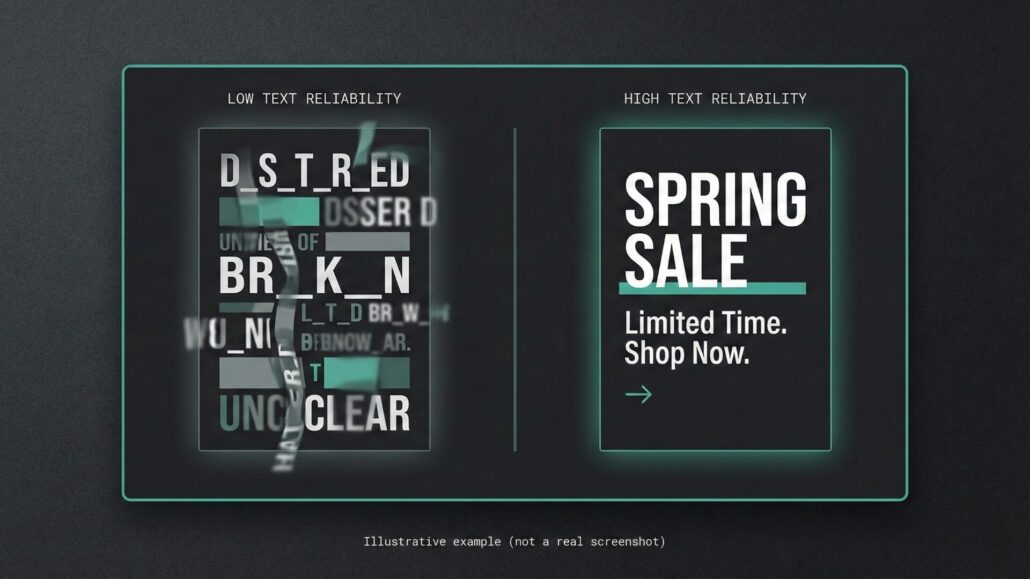
Nano Banana Pro is positioned as a more advanced image generation and editing option designed for more reliable “professional” outputs—especially when you need visuals that include readable text, consistent layouts, and controlled edits.
People care about it because most image generators can produce a pretty picture. Fewer can reliably deliver the boring-but-critical stuff, like:
- a poster where the words are spelled correctly and readable
- a social ad with clean typography and consistent spacing
- a diagram or infographic that doesn’t look like it was assembled by a confused robot
The Core Problems It Solves
Text In Images That Doesn’t Look Broken
If your work includes ads, social promos, one-pagers, thumbnails, flyers, menus, signage mockups, or UI concepts, text reliability isn’t a “nice to have.” It’s the difference between “ship it” and “redo it.”
Faster Edits And Variations
A lot of real work isn’t “make a brand-new idea.” It’s:
- “make 12 variants”
- “change the headline”
- “swap the background”
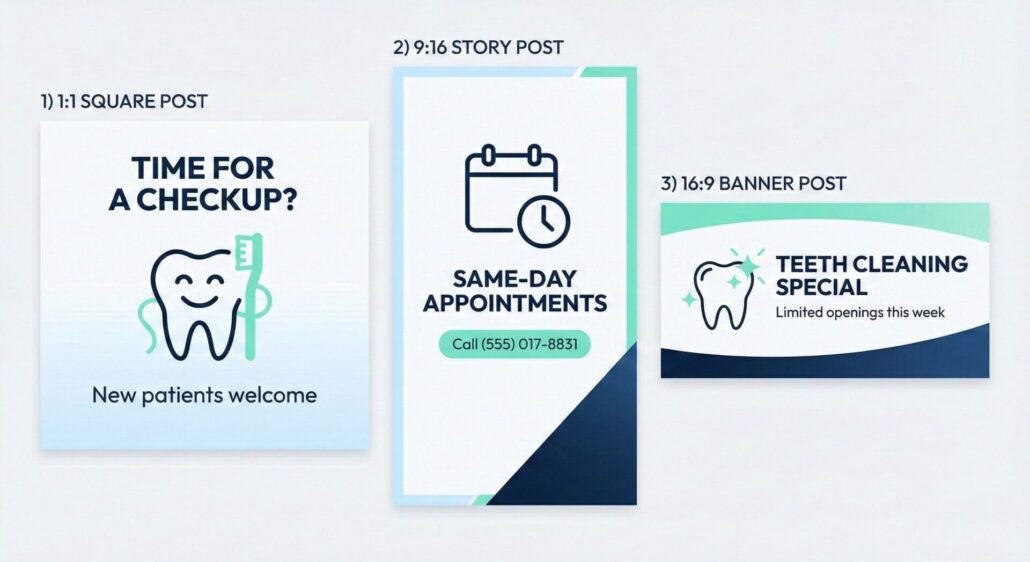
- “now do it in 1:1 and 9:16”
Nano Banana Pro is most valuable when it reduces the time spent on those repetitive rounds.
Better Context For Work Visuals
Where basic generators can be random, a more work-focused model can be useful when you’re trying to produce diagrams, infographics, product-style visuals, and “explain this clearly” assets.
Quantifying Productivity Gains
Before you pay for anything, measure your baseline.
Pick one or two deliverables you create often (for example: a paid social ad set, a client thumbnail package, an internal slide visual, a one-page promo). Track:
- Minutes from request to first usable draft
- Number of revision rounds (internal + client)
- Time spent on cleanup (Figma/Photoshop edits, exports, resizing, fixing text)
- Cost of inputs (stock assets, contractors, extra tooling)
Then run a one-week test: build those same deliverables using Nano Banana Pro for first drafts, variations, and edits.
You’re not trying to prove it’s magical. You’re testing whether it reliably cuts the boring parts.
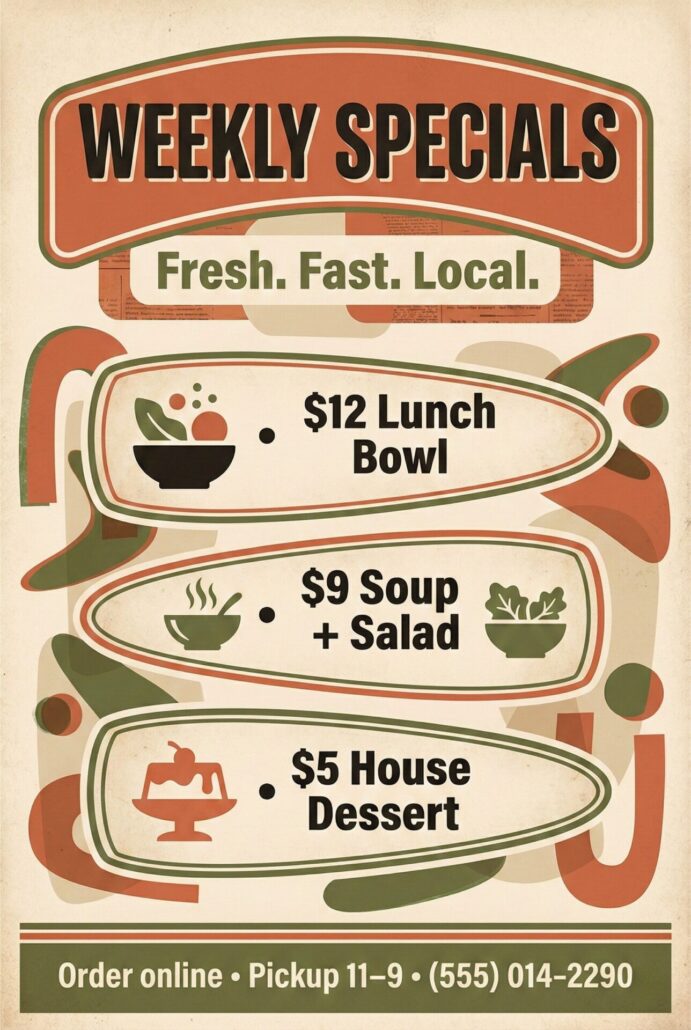
Examples Of What Nano Banana Pro Can Do
Measuring Quality Improvements
Time is easy to value. Quality is trickier, but you can still measure it with proxies:
- First-pass approval rate (stakeholder or client)
- Reduction in revision notes (especially “text is off” or “layout feels wrong”)
- Consistency (does the output look like your brand across versions?)
- Performance metrics (only if you’re actually running tests, and you can attribute changes responsibly)
If Nano Banana Pro increases first-pass approvals and reduces “fix the typography” loops, that’s real ROI.
Unlocking New Opportunities
This is where ROI stops being “time saved” and becomes “new value.”
If Nano Banana Pro makes it easier to produce polished visuals quickly, you can:
- prototype campaigns faster
- create more test variations without adding hours
- offer new deliverables (visual explainers, infographic packages, deck visuals)
For freelancers, this can become an upsell. For businesses, it can reduce the time between “we need creative” and “we shipped creative.”
The Investment Side
This is the part a lot of “worth it” posts conveniently skip.
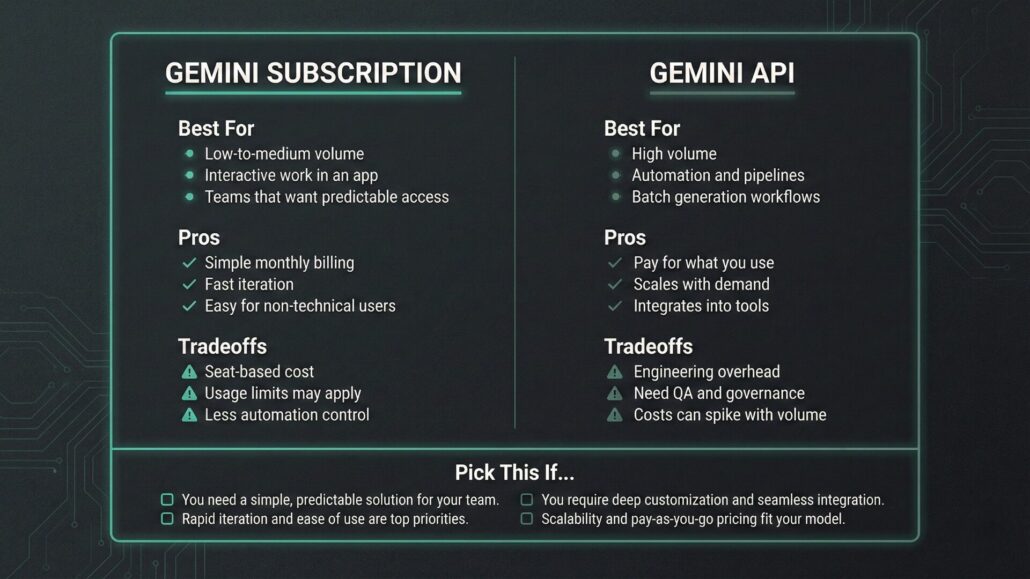
Nano Banana Pro isn’t a random standalone app you toss a few bucks at. In most cases, you get access through Google’s Gemini subscription tiers, or you pay per image via the Gemini API.
Subscription Access Through Gemini
If you’re using Nano Banana Pro in the Gemini app, access is typically tied to Google’s paid plans:
- Google AI Pro: $19.99/month
- Google AI Ultra: $249.99/month
Important context: those plans usually bundle a lot more than image generation (model access, other features, and Google ecosystem perks). So your ROI calculation shouldn’t pretend you’re buying “just images” — but you also shouldn’t pretend the cost is imaginary if you’re subscribing mainly for Nano Banana Pro.
API Usage For High-Volume Or Automated Work
If you’re building workflows (automation, batch generation, internal tools), the Gemini API can make more sense than a per-seat subscription.
A simplified way to think about API pricing is “cost per image,” which varies by output size and whether you’re using standard vs batch pricing. As a ballpark from the official rate card:
- Around $0.134 per 1K/2K image (standard)
- Around $0.24 per 4K image (standard)
- Batch pricing can be roughly half of standard in some cases
API pricing is where the math gets brutally honest: at scale, even “pennies per image” becomes real money — but it can still be a bargain if it replaces hours of production and revision time.
Calculating Your Net Gain
Use boring math. Boring math is your friend.
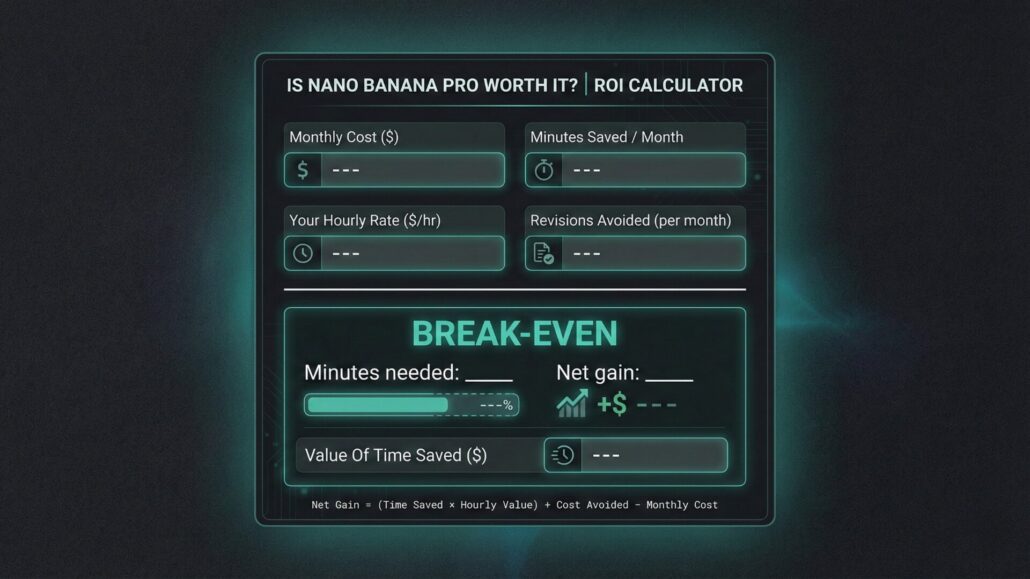
Net Gain (monthly)
(Time Saved × Your Hourly Value) + New Revenue + Cost Avoided − Total Cost
Then calculate:
ROI % = (Net Gain ÷ Total Cost) × 100
What Counts As Hourly Value
Pick the number that matches your reality:
- Freelancers: your billable rate
- Businesses: fully-loaded employee cost or contractor cost
- Founders/Solos: opportunity cost (what you could be doing instead)
The ROI Formula With Real World Examples
These are examples to show how to think—swap in your real pricing and real time saved.
Example A Freelancer Using A Monthly Plan
If your plan costs $20/month and your time is worth $75/hour:
- Break-even time saved: $20 ÷ $75/hr = 0.266 hours
- That’s about 16 minutes per month
If Nano Banana Pro saves even one small revision loop on one client job, you’re already ahead.
Example B Small Business Generating Lots Of Variants
If you create a high number of image variations, you’re effectively buying iteration speed.
Break-even can happen quickly when:
- designers are spending hours on repetitive resizing/variants
- marketing needs more tests per week
- internal approvals churn endlessly
Example C Agency Workflow With Review Built In
Agencies can win big if they use Nano Banana Pro to produce first drafts and variations, then run a strict review process to avoid shipping weird output.
The multiplier is throughput: more deliverables shipped per week with the same team.
Nano Banana Pro For Businesses: Scaling Operations And Team Performance
Where it typically makes sense:
- Performance marketing teams producing constant variants
- Sales enablement making decks, one-pagers, and “make this clearer” visuals
- Product marketing needing mockups, hero images, and quick edits
The business ROI story is simple: one person’s time savings becomes team throughput—if you don’t bottleneck on review and approvals.
Nano Banana Pro For Freelancers: Boosting Efficiency And Client Value
Freelancers don’t win by saving time and then doing nothing. You win by turning time saved into:
- more deliverables per project (without adding hours)
- faster turnaround (which clients actually value)
- higher-value packages you can price better
If Nano Banana Pro reduces revisions and helps you deliver more polished visuals faster, it’s not just a cost—it’s leverage.
Considerations Before You Subscribe
A few reality checks before you pull out the card:
- Usage limits and access can change. If you need reliability, plan around consistent paid access or an API workflow.
- Brand and reputation risk is real. AI outputs can be biased, inconsistent, or just plain wrong—especially if someone ships it without review.
- You still need a human QA step. Treat it like a power tool, not a replacement for judgment.
Who Benefits Most Ideal Use Cases And User Profiles
Most likely to see clear ROI:
- You ship text-heavy visuals regularly
- You do lots of variations (tests, cutdowns, multiple formats)
- You need higher volume output
- You want faster prototyping without waiting on a full design queue
Who should probably skip (or trial carefully):
- You only need occasional fun images
- You can’t tolerate occasional weirdness without extensive cleanup
- Your work is high-stakes brand-sensitive and you don’t have time for review
Wrapping Up With An Informed Decision
Nano Banana Pro is worth it when it replaces paid hours (yours or someone else’s) and reduces revision churn—especially for visuals where text and layout actually matter.
If you’re unsure, don’t guess.
- Pick one deliverable you create often.
- Run a one-week test.
- Measure time saved and revision cycles.
- Use the ROI formula.
If you can’t save even a small chunk of time each month, you’re either using it in the wrong part of your workflow, or it’s not the right tool for your needs.








Leave a Reply
Want to join the discussion?Feel free to contribute!