
Gemini May Finally Let You Attach NotebookLM Notebooks
TL;DR
- Google appears to be building a tighter Gemini + NotebookLM connection that could let you pull a NotebookLM notebook directly into a Gemini chat.
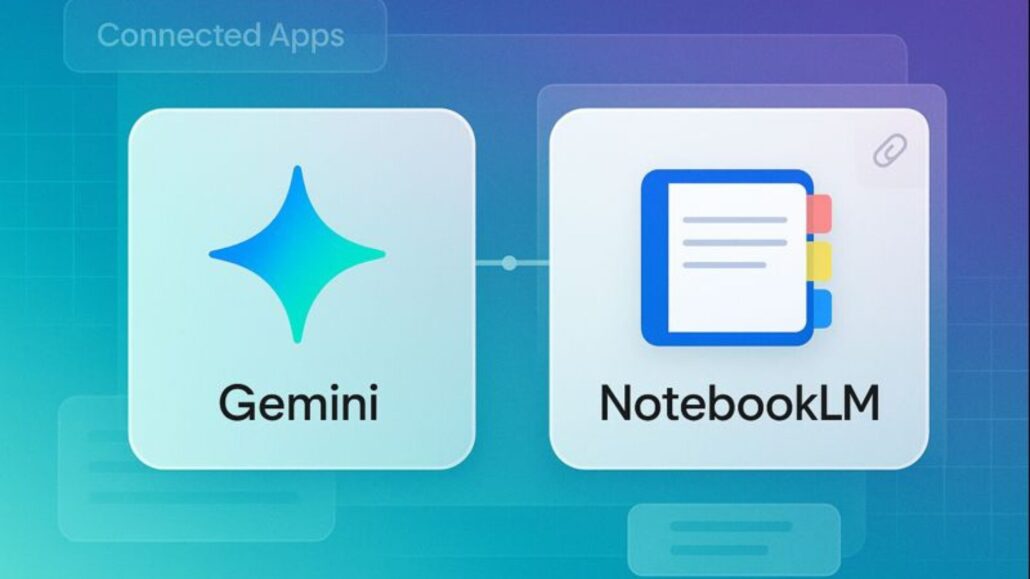
- Early signs point to this showing up as a Connected App and/or a new “Attachments” option for notebooks.
- Enterprise users may already see a version of this inside Gemini Enterprise via NotebookLM Enterprise.
What Happened
A Reddit thread is claiming Google is rolling out a NotebookLM integration for Gemini — basically letting Gemini use your NotebookLM notebooks as context. If that sounds like a small UI tweak, it’s not. It’s Google finally connecting two tools that should’ve been glued together from day one.
Because this is still being spotted in the wild (and not broadly announced as a polished consumer feature), treat “rolling out” as “appearing for some people” rather than a guaranteed switch that’s flipped for everyone.
Google is rolling out a NotebookLM integration for Gemini, where users will be able to attach notebooks as a context to their conversations.
byu/BuildwithVignesh inGeminiAI
The Important Details
What “NotebookLM In Gemini” Actually Means
The most useful version of this feature is straightforward: you start a Gemini chat, attach or import a NotebookLM notebook, and then Gemini answers questions based on that notebook’s sources.
That’s the dream workflow: NotebookLM stays your source-grounded library (docs, PDFs, notes, links), and Gemini becomes the conversational front end that can summarize, explain, rewrite, and brainstorm without losing the thread.
Where It Could Show Up
There are two likely places this integration lands:
- Connected Apps: NotebookLM could appear alongside other Gemini connections, letting you tap it as a source.
- Attachments: Gemini’s attachment picker could gain an option to import a notebook directly, the same way you’d add a file.
If you’re hunting for it, check Gemini’s settings for Connected Apps and the attachment icon inside a chat. If NotebookLM is there, you’re probably in an early rollout group.
Enterprise Already Has A Head Start
If you’re using Gemini through work, you may already have something close to this. NotebookLM Enterprise is integrated inside Gemini Enterprise and can be accessed from within that environment.
That matters because it suggests this isn’t just a half-baked experiment — it’s part of Google’s broader plan to make NotebookLM a core “agent” in the Gemini ecosystem.
Why It Matters
This is the kind of integration people actually feel in day-to-day use:
- Less copy-paste nonsense: Right now, a lot of NotebookLM-to-chat workflows involve exporting summaries and pasting chunks into Gemini. Direct notebook import cuts the busywork.
- Better grounding (in theory): NotebookLM’s whole identity is “show your work.” If Gemini can reliably carry that behavior into normal chats, it’s a real upgrade.
- It makes Google’s AI story less fragmented: Gemini is the chatbot. NotebookLM is the research brain. The gap between them has always been awkward.
Tony’s Take
Google doesn’t need more AI features. It needs fewer AI products that actually connect.
NotebookLM is one of the rare Google AI tools that feels genuinely useful because it’s built around your sources. If Gemini can treat a NotebookLM notebook like first-class context — not a fragile pasted blob — that’s the sort of practical upgrade that makes the whole “AI assistant” pitch finally land.
But I’m not giving this a victory lap until it’s shipping widely and predictably. A feature that only appears for a handful of accounts isn’t a launch — it’s a tease.
What To Watch Next
- A real consumer-facing announcement that spells out who gets the integration and where it lives.
- Whether citations survive the jump. If Gemini can’t clearly point back to notebook sources, the usefulness drops fast.
- How rollout differs by account type. Workspace and Enterprise features often hit first, then trickle down to free consumer accounts.
Thanks, Liam!







Leave a Reply
Want to join the discussion?Feel free to contribute!